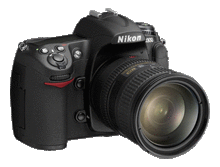
Nikon D300 custom settings
The Nikon D300 (which superseded the highly-regarded D200), offers great image quality and offering many of the same features of the Nikon D3, but at a more affordable price – all of which will make the D300 a camera that many professional photographers will chose as their main camera.
Many of the custom settings of the D300 are the same as for the D200, but there are a few differences. (eg, Auto ISO is now set in the Shooting Menu.)
Here are my preferences for the Custom Settings .. and why.
The Custom Functions are grouped into 6 categories:
a – Autofocus
b – Metering / Exposure
c – Timers / AE & AF Lock
d – Shooting / Display
e – Bracketing / Flash
f – Controls
a1 .. AF-C priority selection
AF-C is the Continuous Focusing mode, where the shutter can be tripped whether the subject is in focus or not, ie, Release Priority. With this setting, you can turn AF-C into Focus Priority.
default : Release button (ie, FPS is maintained),
my preference : default
There are generally two ways that continuous auto-focusing can be used:
– using AF-ON as the focus lock while initiating AF with the shutter button, or
– with focusing enabled on the rear AF-ON button, and then initiating AF with the AF-ON button, and then locking AF by releasing the AF-ON button. (See custom function a5.)
Doing it in this latter way, would enable the photographer to use follow focus, and then simply by letting go of the AF-ON, use the AF-ON button as a way of holding focus if necessary. This is the way that most sport photographers use AF.
With this custom setting the photographer now has a very powerful option – to change the usual behavior of AF-C mode in only tripping the shutter when the subject is in focus. Although, that said, I am not sure it is how most photographers would want to use Continuous Focusing.
Action photographers usually need the camera to accurately track the subject, and want the shutter to fire when the photographer wants, without the camera deciding otherwise.
more info on Nikon focusing modes – Nikon D300 / D700 / D3
a2 .. AF-S priority selection
AF-S is the Single Focusing mode, where the shutter can only be tripped whether the subject is in focus, ie, Focus Priority.
With this setting, you can turn AF-S into Release Priority.
default : Focus Priority,
my preference : default.
My preference is for the camera’s shutter to only fire when I’ve acquired focus. Then I can lock focus by keeping the shutter button slightly in – allowing me to recompose the picture.
As an aside .. my preference is for the camera to be set to AF-S mode, and with Single Frame Advance, since this way it allowed me to focus on a subject, re-frame, and shoot a sequence with that point of focus locked by the shutter button.
more info on Nikon focusing modes – Nikon D300 / D700 / D3
a3 .. Dynamic AF area
With this setting the number of AF points can be selected.
default : 9 points,
my preference : 51 points (3D-tracking).
This custom function is entirely dependent on the individual photographer’s style and needs, but the 51 point, 3-D tracking mode is truly uncanny for how well it works.
more info on Nikon focusing modes – Nikon D300 / D700 / D3
a4 .. Focus tracking with Lock-On
With this option you control how the AF adjusts to changes in your subject’s movement.
default : Normal,
my preference : default.
This setting controls the behavior of AF-C mode in that the camera allows for sudden changes in the subject movement, and also makes sure the camera doesn’t hunt when another object briefly obscures your subject in the frame.
The best resource on the implications of this setting, can be found on Digital Darrell’s website: Lock On – Does it Work? (This is for the D2x, but it relates directly to the D300 as well
a5 .. AF activation
With this setting you dictate whether auto-focusing is initiated via either the shutter button or the AF-ON button; or only via the AF-ON button (ie, shutter button doesn’t initiate AF).
default : shutter button / AF-ON,
my preference : default.
The choice here is closely linked to how you prefer activating auto-focus and your choice of focusing mode (AF-C or AF-S), since the behavior of each mode changes slightly whether you focus with the shutter button or the AF-ON button.
I prefer the default because I mostly use my camera in AF-S focusing mode, and use my shutter button to activate and hold auto-focus.
Most sport photographers however, use the AF-ON button to activate auto-focus. Setting custom function a5 to AF-ON, makes most sense if you use Continuous Focusing mode (AF-C), since this setting will then allow you to lock focus by simply releasing the AF-ON button.
a6 .. AF point illumination
This option controls whether the active focus area is illuminated in red in the viewfinder.
default : Auto,
my preference : ON.
I like having it on – then it is immediately obvious at all times exactly where the camera is focusing.
a7 .. Focus point wrap-around
This setting controls whether the focusing sensor selection wraps around, or not.
default : OFF,
my preference : default.
a8 .. AF point selection
This option allows you to choose either 51 or 11 AF points for manual focus-point selection.
default : 51 points,
my preference : default.
a9 .. Built-in AF assist illuminator
This option controls whether the auto-focus assist light comes on in low light to help auto-focus latch onto the subject.
default : ON,
my preference : OFF.
The bright lamp light can be annoying and intrusive at inopportune moments, so I keep it switched off.
a10 .. AF-ON button for MB-D10
The functions assigned to the Vertical AF-ON button are determined with this custom setting.
default : AF-ON,
my preference : default.
The default allows you to simply initiate auto focus.
b1 – ISO sensitivity step value
This custom setting controls whether the shutter speed / aperture increments are in full or 1/2 or 1/3 steps.
default : 1/3 step,
my recommendation : 1/3 step.
Controlling the ISO is as important as controlling aperture and shutter speed in getting to the correct exposure. Therefore as fine a control as possible, is the best choice. Also, since an increase in ISO means an increase in noise, it makes sense to have the ISO increments as small as 1/3rd stop to make for incremental jumps in adjustment.
b2 .. EV steps for exposure control
This custom setting controls whether the shutter speed / aperture increments are in full or 1/2 or 1/3 steps.
default : 1/3 step,
my recommendation : 1/3 step.
Once again it makes most sense to set this to 1/3rd steps, since it allows better fine tuning of exposure – which is essential with digital capture.
b3 .. Exposure comp / fine tune
This custom setting controls whether the exposure compensation increments are in full or 1/2 or 1/3 steps.
default : 1/3 step,
my preference : 1/3 step.
Setting exposure compensation in wider steps than 1/3 stop settings might make bracketing over a wider rage easier, but I still think that using 1/3rd stop increments allow for finer tuning of exposure.
b4 .. Easy exposure compensation
This custom setting dictates whether the [+/-] button is needed as well to dial in exposure compensation, or whether exposure compensation can be dialed in with the CMD dial only.
default : off,
my preference : keep it to the default.
If this setting is changed from the default, then a simple twiddle of the dials will change exposure compensation – very nifty, but all too easy to do by accident when using the camera in day to day photography. It’s simply safer to keep it to the default, where there is an extra safeguard in that the [+/-] button has to be pushed as well, before exposure compensation can be set.
Since I nearly always shoot in Manual Exposure mode anyway, this setting wouldn’t affect my normal operation of the camera. But I can see how this setting would be of real value to someone who shoots constantly in a specific auto mode such as Aperture Priority, where fast access to exposure compensation would be of great help.
b5 .. Center-weighted area
This custom setting controls the size (and hence precision) of the center-weighted metering selection.
default : 8mm,
my preference : 8mm.
This very useful setting allows you to set the metering area wider or much narrower for center-weighted metering. At the narrowest setting it acts like a wide spot-meter reading – not as highly selective as a spot-meter reading, but still precise enough to make specific meter readings off a scene.
Exactly how wide or tight you set the metering pattern is up to personal preference, but my feeling here is that anyone who has a precise approach to exposure metering, would select one of the smaller areas as a default.
b6 .. Fine tune optimal exposure
This custom setting is a very powerful tool. Many photographers want their images to be brighter or darker than the camera gives at the correctly metered default. With this setting you can bias the exposure without having the exposure compensation warning. ie .. this is like permanent exposure compensation built in for each of the metering modes.
default : no,
my preference : default.
I personally like the way that the Nikon cameras meter, which tends to give more saturated images. This also helps protect the highlights with digital photography. But this really is a setting which elevates this camera out of the ordinary, allowing unprecedented control over exposure. Every photographer can now fine-tune the camera’s metering to his / her own taste.
c1 .. Shutter release button AE-L
This option controls whether exposure will lock while the shutter-release is pressed half-way, or only with the AE-L/AF-L button.
default : AE-L Button
my recommendation : keep to the default.
The default makes sense here, since the other option is to have the shutter button work as the exposure lock, which can be confusing, since it links the point of focus to the place you meter – which should not be thought of as the same thing, since it isn’t.
c2 .. Auto meter-off delay
This setting controls how long your camera’s meter reading is displayed in the viewfinder and on top of the camera.
default : 6 secs,
my preference : 16 secs.
Once again, this setting is entirely personal preference, but I like my meter reading not to disappear so soon after I activate it with the shutter button. The battery of the D300 is long-lasting enough that the minor bit of power-saving by having a short meter display period, is off-set by the annoyance of having to press the shutter button repeatedly when taking meter readings.
c3 .. Self-timer delay
This setting controls how long the self-timer takes before tripping the shutter.
default : 10 secs,
my preference : 2 secs.
This setting should be up to personal preference, but I like a shorter self-timer setting, since I mainly use this to stabilize the camera from vibration when working with the camera on a tripod.
c4 .. Monitor Off
With this setting you control how long the LCD display stays up.
default : 20 secs,
my preference : 1 min.
I’m an incorrigible chimper. I like seeing what I just photographed, and also, the histogram and blinking highlights are indispensable tools. Therefore I *need* to chimp. Having a much longer LCD display time helps. Besides, others usually want to see what you just shot.
d1 .. Beep
This controls how loud / soft the camera beeps … or not, when acquiring focus or when using the self-timer. It is also used for a low shutter speed warning.
default : high,
my preference : off.
Personal preference again, but I prefer my camera to be quiet.
But I have to admit that the soft beep isn’t intrusive at all.
d2 .. Viewfinder grid display
This allows a grid pattern to be displayed in the viewfinder.
default : off,
my preference varies.
This one is personal preference. The display isn’t intrusive, and it is a useful guide to have as a reference to keep verticals and horisontals correct.
d3 .. Viewfinder warning display
This custom setting enables or disable the low battery warning in the viewfinder.
default : on,
my preference : default.
It makes sense to have a visual reminder of your camera’s battery running low.
d4 .. CL mode shooting speed
This setting controls the maximum frame rate when the camera is set to CL (continuous low-speed).
default : 3 fps
my preference : the default.
I don’t often shoot in Continuous frame-advance, since I prefer the Single Frame mode. Action photographers will set this option to their own requirements.
d5 .. Max continuous release
The Maximum shots taken in a single burst, is set with this.
default : 100,
my preference : keep it to the default.
d6 .. File Number Sequence
This default chooses whether the file names reset to 0001 every time you use a new CF card or new folder, or whether the camera remembers the last file name used and keep numbering sequentially from there on.
default : on,
my recommendation : on.
I’m glad that Nikon had the sense to change this default from what it was with their previous cameras.
File No. Seq OFF – will name the image files the same every time you use a new memory card or a clean memory card. The file naming will resume from the last image recorded on the memory card. This means that if you use more than one memory card, you will have duplicate file names. Even if you only use one memory card, you run will most likely get to the point where you have to rename image files continually on your computer.
File No. Seq ON – will resume file naming from the last name used. So if you use more than one memory card, the file names will be different from each other on the different memory cards. This will save you the bother of having to rename files when you download it on the computer, or of having to keep image files from different memory cards in different folders in your computer.
Although that said, I rename my files to more logical file names, as a matter of course in my raw post-processing workflow.
d7 .. Shooting info display
This option controls whether the LCD displays as dark text on light background; or as light text on dark background This can be done automatically to maintain best contrast for readability.
default : Auto,
my preference : default.
d8 .. LCD illumination
This option controls whether the LCD lights up only when the power switch is rotated to the lamp position, or when any button is pressed.
default : Off,
my preference : On.
I most often work in dim areas, and I want to be able to read my LCD without having to precisely select the Lamp button. With this function selected, the LCD will light up whenever I hit any of the D300 camera controls. It just makes it easier for me when the LCD lights up as soon as I handle the camera – then it doesn’t become an extra control that I have to push.
d9 .. Exposure delay mode
The shutter release is delayed by 1 sec from the moment you press the shutter button.
default : off,
my preference : default.
This option is essential for photographers who shoot at slow shutter speeds or do high-magnification work such as macro photography. The mirror flipping up causes a lot of internal vibrations, and this ‘mirror slap’ can cause photographs to
show camera shake. With this setting, the mirror is flipped up instantly as you press the shutter button, but the shutter itself only opens 1 second later when the vibrations from the mirror flipping up, has been damped.
d10 .. MB-D10 battery type
Here you select which batteries you are using in the MB-D10 grip, so that the correct battery levels can be displayed.
my suggestion : use EN-EL3e batteries.
If you use EN-EL3e batteries, which are the best choice of batteries for the D300, then this becomes a moot point.
d11 .. Battery order
With this setting you control whether the camera is powered first from the MB-D10 batteries, or the battery in the camera is depleted first.
default : use MB-D10 batteries first,
my recommendation : default
If you keep one in the camera body even though you have the MB-D10 attached, it somehow just makes perfect sense to have the batteries in the grip deplete first before the camera’s battery.
e1 .. Flash Sync Speed
With this setting you control the maximum flash sync speed that the camera will be able to set.
default : 1/250th,
my recommendation : 1/250th (Auto FP)
I’m not sure why anyone would set a lower than maximum flash sync speed, so it makes most sense to keep the flash sync speed to 1/250th Auto FP. (The speedlight’s output drops when you go over the max sync speed, which is 1/250th for the Nikon D300.)
Even though using the Auto FP high-sync speed option drastically limits the range of the flash, it enables control over depth-of-field with the proper dedicated strobes such as the SB-800 and SB-900. Most of the times when I use a shutter speed higher than max sync speed, I’m using the Speedlight as fill-flash only (and usually dialed down), so the loss in power isn’t really noticed.
e2 .. Flash shutter speed
Here you control the minimum flash sync speed that the camera will set in any of the auto modes.
default : 1/60th,
my preference : 1/30th.
I prefer a slower sync speed in order to allow more ambient light to register. But then, I would rarely use this custom function since I don’t often use an auto mode. I prefer the more considered approach with Manual metering mode, that allows me to drag the shutter for the specific effect I want.
e3 .. Flash control for built-in flash
This option controls which mode the built-in flash will use.
default : TTL
my recommendation : Commander mode.
Your decision here will rest on whether you need your built-in flash as the main flash or fill-flash (and then TTL would usually make the most sense), or whether you want to use the strobe as the Commander strobe to control a Slave flashgun (a remotely triggered SB-600 / SB-800).
My recommendation would be to keep it to the Commander mode. Since the built-in flash is about the worst kind of way to use flash, you really should be using a larger external strobe to give you more options in using flash.
With the built-in flash set to Commander mode, you can use your external Nikon strobe, and when you need wireless TTL flash, you can simply remove your Nikon Speedlight and you are immediately set to control the Nikon Speedlight in Commander mode.
e4 .. Modeling flash
With this custom setting you control whether the depth-of-field preview button acts as a trigger for the rapid burst from the Speedlight that acts as a modeling flash.
default : ON,
my preference : OFF.
This is helpful if you are using multiple Speedlights in a wireless TTL configuration, and it would then help to enable this at that time.
For a single on-camera strobe it makes less sense, since the modeling flash is already accessible as a button on the SB-800 Speedlight itself, and it doesn’t make much sense to tie up the depth-of-field preview button with this function.
e5 .. Auto bracketing set
e6 .. Auto bracketing (mode M)
e7 .. Bracketing order
These custom functions all control the way that auto-bracketing is set, and therefore is entirely up to the individual photographer’s way of working. I don’t use auto-bracketing, preferring a more specific approach to metering, so I keep these settings to the defaults.
f1 .. Multi selector center button
With this custom function, the operation of the center button of the multi-selector is defined for the Shooting Mode and Playback Mode.
Shooting Mode :
default : Select center AF point,
my preference : default
I like the default here over the other choice (Illuminate AF area), since this allows me to instantly re-select the center autofocus sensor if I have been using another focusing sensor instead.
Playback Mode :
default : Thumbnail on/off,
my preference : Zoom on/off.
I really like to be able to see a higher magnification of the image. And with the way the joystick works of the multi-selector, it is easy enough to move to any part of the image. Sweet!
f2 .. Multi selector
With this setting, the multi-selector can have an additional function when pressed.
default : do nothing,
my preference : the default.
Since I already have something assigned to happen when I press the multi-selector button, it is simpler to just have this CF set to do nothing.
f3 .. Photo Info / Playback
With this setting you can control which direction the multi-selector needs to be pushed to access the info screens for each image, or different images.
default : Playback <–>
my preference : Info <–>
With the D200 and D300, they changed the order of this command from how it is on the D2x. This could be confusing if you use both cameras, so then set the D300 to work like the D2x. (Or the D2x like the D300.)
f4 .. Assign FUNC. button
This option allows a variety of functions to be assigned to the FUNC button. It is in settings like this, that helps make the D300 shine as a powerful tool for the photographer.
FUNC button press
– default : none
– my preference : Flash Off (the Speedlight is disabled
This setting is entirely personal preference, since there are a variety of options here that could be put to great use by different photographers. I like the idea of instantaneously being able to disable the flash by pressing the FUNC button, instead of having to pull my eye away from the viewfinder to switch the Speedlight off.
The FV Lock option is also a strong consideration, since it allows you to lock your flash exposure off a specific tonal value, and not have large areas of white or black throw off your TTL flash metering.
FUNC button + dials
– default: Auto Bracketing
– my suggestion: keep it to the default if you shoot in an auto exposure mode.
f5 .. Assign preview button
With this control, you set what the action that preview button will perform. It has a similar set of possibilities as the FUNC button, but it makes most sense to my mind, to keep it as the depth-of-field preview button.
f6 .. Assign AE-L / AF-L button
Similarly here, with this button you set whether the AE-L / AF-L button performs the default function of locking exposure and focus, or any of the other options, similar to that of the FUNC button.
My preference would be to keep this button purely as a Focus Lock (AF-L) button, since I only shoot in manual exposure mode. Also, since focusing and exposure have nothing to do with each other, these two functions shouldn’t really be assigned to the same button.
f7 .. Customize command dials
This controls a number of things about the way the command dials work:
– direction of rotation;
– you can also swap the front and rear dials so that the shutter speed is dialed with the front button, and the aperture on the rear dial;
– whether the aperture is dialed in, or adjusted via the aperture ring on the lens;
– the menus and playback.
Any of these settings are purely up to personal preference.
f8 .. Release button to use dial
With this custom setting, you can change the behavior of the camera’s controls from “press a button, and dial”, to “press and release the button, and then dial”. Once again, this is up to personal preference, but I like the default behavior of the camera.
f9 .. No CF card ?
This option disables the shutter release if there is no CF card.
default : Enable release,
my recommendation : Lock release.
Changing away from default makes a lot of sense. You really don’t want to get in to a situation where you think you are capturing images, but not really.
f10 .. Reverse indicators
With this custom setting, the direction of the exposure meter display in the camera can be changed.
default: + —0— –
my preference: – —0— +
This has long bugged me that the Nikon metering displays are non-intuitive about their direction. I know the intention is that the metering display shows the way the controls should be turned, but it still makes more sense to have the + on the right-hand side for display. That’s the way we are trained to see an increase, or a plus.
Perfect timing! I’m going out to find one today!
Thanks Neil!
Z
Neil, thank you so much for posting your settings.
Thanks, Neil,
I’ve been over these settings many times and seem to figure something new out each time. Your explanations help tremendously.
Thanks for all that info! I just got a D300 and it helps alot! The way the meter displayed bugged me too. I’ll be coming back to this post.
Thanks for sharing your setting for the D300 Neil. Are you shooting with Nikon now? I have always thought you were a Canon shooter. Anyhow, how do you like the D300?
Tuan
Hi Neil, I have a question about the flash Sync speed in D300 while using SB-800. I saw you set the speed to 1/320th (Auto FP) so do you set the SB800 to TTL/BL or just leave it in TTL?
Thank you Neil for your explanation.
Yet another great posting full of info, thanks Neil!
I do have a few questions for you regarding using some of your techniques with the Nikon D300…
I know you are a big fan of using ‘Manual’ mode to control and set your background exposure with TTL flash. I’ve read your postings on “dragging the shutter” and the more recent update on includes using aperture and ISO as well to dial in background exposure. My question is, how does the ‘Auto ISO’ feature within the D300 play into setting these parameters while in manual mode? Doesn’t it float around, and at times, work against what you’re trying to do?
Lastly, what metering mode are you using with this technique (and why), matrix? If so, when would you use center weighted/spot?
Thanks so much for all your contributions!
Scot
Thank you for the great breakdown of these settings, Ive used a D70 for a while now and went and got a d300 a few months ago and have never been so pleased with a purchase! This camera makes my d70 feel like a disposable :D
First of all, thank you for posting your D300 setting preferences.
I’m going through them now and have a couple of comments:
b4 — Easy Exposure Compensation.
My preference now ON w/Auto Reset (I used to no like this due to accidental adjustment). The interesting thing about this settings is that it will NOT change the setting held by the +/- exposure compensation button which is how it gets away with clearing itself when you shut the camera off (in other words, there’s nothing to save). I don’t like when I forget that I have left my exposure compensation to something other than 0 when I turn my camera back on minutes or hours later so I keep +/- button at 0 and only use the wheel to adjust exposure. What’s more interesting is that in this mode, the easy exposure compensation setting is ADDED onto the +/- button compensation–which can have some interesting uses such as using the +/- button to set the fixed compensation reference point (if you are basing it on a bride’s dress for example), then working from there with the wheel. It’s sort of like a temporary alternative to using the Fine Tune Optimal Exposure when used this way.
.
Playback Menu — Image Review
I’m not sure where you have this set, but since you like to chimp alot, I suspect you have it ON. I like it OFF because by having it ON, it means that you can’t move your focus selector while the review is active–forcing you to turn it off with half-press of the shutter just. The irritating scenario goes like this: Choose focus point–>focus–>take shot–>try to choose another focus point–>dang it, it’s not working–>press shutter half-way–>now choose focus point–>focus–>take shot. I can’t tell you how many shots I’ve missed because of this. OFF is the only viable choice for me now.
Cheers,
Nick
D300 settings
*Autofocus – Dynamic Af 3D tracking*
a3 – set to 51 points (3D tracking)
Back focus selector must be on the middle “dynamic AF” switch focus on continuous
.
*Sensor cleaning*
Menu , Setup menu (the wrench) , Clean image sensor,
You will then have the option to clean it right then and there or have it clean at a few different settings.
I personally have mine set to clean when I shut it off, because there is a .005 second delay when it does it so when I was picking settings I figured there may be ONE time I want the camera up and running THEN! and would get mad at the minor delay.
There is VERY little power consumption doing this. Its a non-issue so don’t even worry about it. NOW.. it does not REMOVE the dust (if any) .. it simply falls down so if you have a dirty camera make sure you clean it out occasionally as well.
Set it and don’t worry about it.
Simply amazing, i saw this about a month ago and bookmarked it for the day when i would have my very own d300 to play with, TODAY is that day.
I was wondering if you had any thoughts on the active D lighting? also under the nef recording settings it seems to me for weddings at least that lossless compressed 12bit is the optimal way to go… thoughts?
the picture control settings are out of this world and will take some time to master but i have a feeling that unless your shooting jpg none of them matter…
Great explaination! Thanks!
I’m still trying to figure out all the settings on the D300. I adjusted the exposure indicator to display -0+, but I notice now that when I dial in a + exposure compensation the bars display to the left (negative side) and when I dial in a negative compensation it displays to the right (+ side) on the indicator…this seems backwards to me…any explaination?? I tried changing the rotation/direction of the command dials (I think it’s f7), but then I have to rotate the dials opposite of what I would expect to adjust shutter speed, etc (ie, I have to turn the dial right to choose slower/lower shutter speed and left to choose a faster one). I would appreciate if someone could shed some light on this for me! Thanks!
I have a 18-200 VR lens on my D300 when I put a 70-200 VR lens on I notice the field of view at 200 mm with the 70-200 is much smaller than the 200 with my 18-200. when I change the 70-200 to 135mm it equals the field of view I get with the 18-200 at 200. Please explain why the difference. When I talked with factory representative he said take it back and exchange for another lens. I tried this but got the same results.
Fantastic information, thanks very much. My Auto WB looks a little blue when compared with – say – cloudy. I know it can be adjusted in PP but I much prefer to get things as correct as possible in camera.
Any tips please ?
Thank you
Alan
I’ve also found that AWB on various cameras gives too cold a color balance. I prefer to use one of the number of preset WB settings, and then adjust in post-processing of my raw images.
hi there,
ever try the FUJI SUPERIA picture control? do you have your personal picture control?
thx!
hi. my d300 fell on some rocks and the exposure comp button doesnt work anymore. the problem is that its stuck to -1 stop, wich sucks a times. can i put it back to 0? thx , joao
I have a D300 and have just bought a Nikon 85 1.4D. Have you any tips on using this combination?
Neil
Thanks so much for this great info – and for your whole site, flippin’ brilliant!
I’m doing a wedding soon, just may only be a one off for me…
I’m a studio photographer and not bad at it, but I’m ashamed to say that moving out of my controlled room is a big issue to me at the moment…
I’m using a D200 SB800 camera…been playing around, but need that extra help…
Its settings, I need to know the best/basic settings to come back with a good result…
Help!
Great site I’ve read most of it and feel I can get on with the TTL fill routines, but what the camera set to?
Clive, in the UK
ON MY D300 WHEN I USE THE MANUAL EXPOSURE MODE AND I MANUALLY SET THE F-STOP MY SHUTTER SPEEDS WANDER AND DO NOT STAY FIXED AM I NOT USING THE MANUAL SETTING CORRECTLY?
This is great information! I just got the D300 last week and am still tinkering with the settings. Any thoughts on settings for “picture control” and “color space?” Much appreciated.
In this blog entry, you recommended 1/320 (Auto FP) for custom setting e1, flash sync speed. I checked my D300 manual on page 408, and it says that “X = 1/250s; synchronized with shutter at 1/320s or slower (flash range drops at speeds between 1/250 and 1/320s).” Based on what I learned from your workshop, I would have to conclude that the D300’s “true” max flash sync speed is 1/250s , because the flash range drops (and kicks into high speed sync mode) with speeds faster than 1/250s. I checked this with my SB-900, and the flash range does drop at 1/320s when the camera is set to “1/320s (Auto FP).”
Can you clarify this? It seems to me that 1/250 s (Auto FP) would be the correct setting, not 1/320 s (Auto FP). Thanks.
Great info, I am having trouble with soft focus images when it comes to groups I amnot sure what is going on – can someone share their setting for focusing on groups such as weddings?
Having just bought my D300 I found this information very helpful in setting up my camera, thank you!
Thank you for this. It has made a number of things more clear and understandable.
I have been reading the D300 manual tonight because my Fn button quit working the auto bracket settings after I made changes to my saved custom settings ( saved in banks A & B). When I changed to bank C and reset the bank to camera defaults, the auto bracket returned to normal on an Fn button press.
I cannot find any reason why it would just stop displaying at the custom setting set I recorded. There is no information in the manual to suggest that some setting will disable the auto bracket function. Do you have any ideas why this would happen?
Thank you so much, Neil, for posting your custom settings for the D300. I have evolved from the D100 to the D200 and now the D300 and use your setting for each camera. All the best, Bill
Neil, thank you for a great D300 guide; I use it often.
Now to pick your brain …
I shoot boxing and MMA, sometimes ringside, other times from auxiliary. When ringside, I shoot with the 28-70mm f/2.8 AFS, AF-C, ISO 800, center-weighted, AF lock on “normal”, and RAW compressed. Focus is typically on the head.
Also, I move to 11 points and single area focus. 51 is far too much to deal with. I don’t move the focus point around too often.
This seems to work fairly well, however, when shooting auxiliary with the Sigma 120-300mm f/2.8 HSM lens, I find that in low contrast situtations, the focus wanders to the more prevelant background. Here I generally focus on the body for greater sensor point coverage.
A tough challenge has been shooting UFC. UFC is fought inside a black cage, the black top pads, and black corner pads. All this black causes me trouble …
When the fighter(s) is close to the fence, the camera tends to grab focus on the area immediately behind the fighter. This scenario has been causing havok for me.
What suggestions do you have for situations such as this? How would you setup your camera for boxing or mixed martial arts?
I have been testing all my flash equipment lately to try to really understand all of its limitations and I noticed different behavior with my regarding they sync speed options, e1, than you mention. With an SB800 and SB900, I see no drop off in light going from 1/250th to 1/320th, when e1 is set to 1/320th (Auto FP). There is a significant drop off going to 1/400th. I tested this with manual flash (which was really obvious) and TTL, which was much less so (the ambient color became more obvious above 1/320th, though the exposure only moved slightly). My histograms between 1/250th and 1/320th were identical in Manual, and there was a very slight shift right (?) in TTL. The camera also syncs with Qflashes (T2D and X3D-r) up to 1/320th.
Maybe the D300 max sync speed was increased with the firmware update?
Bob,
With a D300 and SB-900, the flash range drops off by almost half when you exceed 1/250s in Auto FP mode. At 24mm, the flash range maximum would read 7.1m at 1/250s, but when I took the shutter speed to 1/320s, the range dropped to 4m. My D300 had version 1.10 of the firmware. If the subject is farther than the flash’s maximum range, the subject is not going to be adequately covered by the flash in TTL mode.
Hi Neil,
Thanks a lot for the settings. I just don’t know if you can set the aperture to auto or not on D300, if you can, pls tell me how to do it.
Once again, thank you so much,
JOse
Hi!
On my D300 1.10 firmware seem more noise then before.
Do you have this problem?
thanks
<
sw
I have a D300 with the 1.10 firmware. I didn’t notice any more noise than usual.
Stephen T.
I also think that there is more noise on my D300 with latest firmware ……..
Is it possible to downgrade firmware?
Thanks
Yes. You can downgraded the firmware on a D300.
I did some tests with the 1.03 and 1.10 firmware versions when 1.10 was released but did not see any differences in noise.
Ok , Thank you Niels
One, prabably stupid question ………… Is it posiblle that the lens produces more noise? ….. I have Tamron 17-50 motorized version … my only lens for now
Nice site Neil.
“This custom function is entirely dependent on the individual photographer’s style and needs”…
Just a little more on this.
Yes, the D-300 is amazing in 51 point 3D; though we need to be aare of it’s limitations.
In essence, the more AF points one selects in AF-C, the slower will be time to lock on and track. (i.e) Seagulls flying right over our heads, zipping around is better handled with 21 points. 9 points is even faster but my hand eye coordination isn’t quite fast enough to keep fast moving subjects closer to frame center.
Great site you have I used alot of the info you have posted. I have a question about using my SB600 with the D300. Do i need to set the WB to the flash symbol when using a flass? and does the SB600 work as a remote flash with the D300.
I shoot a D300s and am having a heck of a time focusing my son’s basketball games. I am shooting the new 70-200 VRII … the gym has dome style lights with white light coming out. The gym of course if very yellow. Any ideas on how to set up the back controls as well as WB and Focus? Please be specific as I am just learning how to use this camera. thanks!
Tim,
You should read carefully the sections on Custom Settings a1, a3, a4, and a5 on this page:
https://neilvn.com/tangents/nikon-d300-custom-settings/
Using the AF-ON button only for focusing (a5 = OFF) in conjunction with Continuous Focus mode should make a big difference. (Once you get used to using thumb for focus and finger for shooting)
Phil
Tim,
Oops,
I realize that the bookmarked page that I referred you to in the previous post is actually this page that we’re on, so I presume you must have already read Neil’s comments at the beginning of the thread before you posted your question.
I found the information about custom settings on this page fairly easy to follow, so was there something specifically that you did not understand in Neil’s explanations?
Phil
Hi Neil
Can i know what is your choice of AF Sensor Mode Switch of the D300? Do you use the Big White Rectangle, or you fixed the AF in the center? Does it mean the 51 point 3D will only work with the Big White Rectangle selection?
Hi Neil!
As I do not use the camera regularly, I have learned to understand the nature of the functions in a fraction of the time than I would have reading the manual.
Thank you so for sharing.
Melvyn
Hi, i had nikon d300s and im going to shoot a wedding on saturday, my problem is, i just bought this camera last week. Do you have any idea how to set my camera in indoor/outdoor wedding event? please help me. thank you!
Hi Neil!
I am learning to use the Nikon D300s to shoot weddings. I read your comments about custom settings and changed my camera accordingly. However, there are other buttons and settings on the camera I am not sure of. I don’t know which metering to use for Weddings. Matrix, center-weighted, or spot. Also, if you don’t focus on the eye and then recompose, how can you be sure to get them in focus?
I cannot seem to get the D300s to focus and stay focused while I recompose the shot. I use spot metering and hold the shutter half way down to focus, recompose, then take the shot. The focus I had chosen does not remain sharp. Why? Is there another setting I am missing?
Using the D300s and SB 600 attached to the hotshoe (not wireless), do I use commander mode?
I used my D70 for a number of years and last year i got my D300. i like the D300 very much. on my D70 i liked the presets like(close-up, potrait etc.) very much. i just seem not to get how to custamize these settings on my D300. i even tried the blue crane DVD. could you help me out as to how to make these settings step by step?
i appreciate your help.
sunny
Hi Neil,
thanks for your prompt reply. sunny
Hi Neil,
I just got my d300s with Nikkor 18-200mm VRii… I feel like most pictures of my shot do not come up sharp, but soft and blurry! Are there any tricks, setting, to do with this?
Oh Neil, I have been struggling with my husband’s D300 for 2 years now. There is something lurking in the shadows. is this horrid red peak, it shows up on my histogram in LR and it is AWEFUL. I’ve tried pulling them into PS, making my own D300 setting for LR. It is making me crazy. We’ve switched lenses and it’s not the lens. I thought maybe it was the way he shoots (shutter priority, and the ISO is bouncing around and doing something wicked with the shadows. IDK. I use it aperature priority and the same thing happens. It’s most obvious when I need to bump the exposure up if the photo is a smidge dark. The shadows turn into this red/orange muck! Any ideas? Thank you so much for all your help over the years on your site!!!
Nina
Is there a good place (apart from evilBay) to advertise D300 gear in the UK? I’m looking to offload all my Nikon stuff, hence the question.
i fly to the states on the 16th and pick up my new d300s!
thanks for this,, it will give me a head start in getting set up. plus i will have something to read on the flight back.
My D300 does not take a picture every now and again and is showing F0 on my screen any ideas what this is or how I can stop it? I will be able to take a few images and then all of a sudden this happens. I have tried different settings of focus, changed the aperture and shutter speeds, switched my camera off and on again cannot find what is happening any ideas would be very much appreciated.
Usually indicates not good contact with camera and lens.
1). The lens is not correctly seated, twist the lens slightly until it clicks into place better or remove and reattach the lens, firmly, by that I mean twist until you feel/hear the click it’s locked properly.
2). Dirty contacts. Clean the contacts. Use a clean white rubber eraser [as in rubbing out a pencil mark] to clean the contacts, make sure nothing drops into the camera body opening when you do so, do lens first then try that.
OR can be the make of lens you are using, some people reporting problem with Sigma/different brand lenses on this body.
Trev.
Damn, you ARE good. I reattached the lens, it clicked in place and worked like a dream. Thank you guys.
Thank you for this explanation in a clear very undastandble way, I’m new to photography and took a big step in buying the D300s and this has helped a lot.
many thanks
I have a D300 and a SB900. I set flash to TTL and camera to TTL also. I have tried many, many settings, but all pics are dark. When I point to a mirror, the flash is not going off at time of captured pic. The flash seems to be fireing but not at the right time. When I read data in LR, it says flash is fireing. I set camera to 1/250 sync. It just seems something is out of sync. PLEASE HELP!!!
Just wanted to thank you for the settings explanation! I just purchased a used D300 and you have been a big help…A bigger jump from the D90 then I anticipated…thanks again!
Jim