spacer
spacer

Tangents

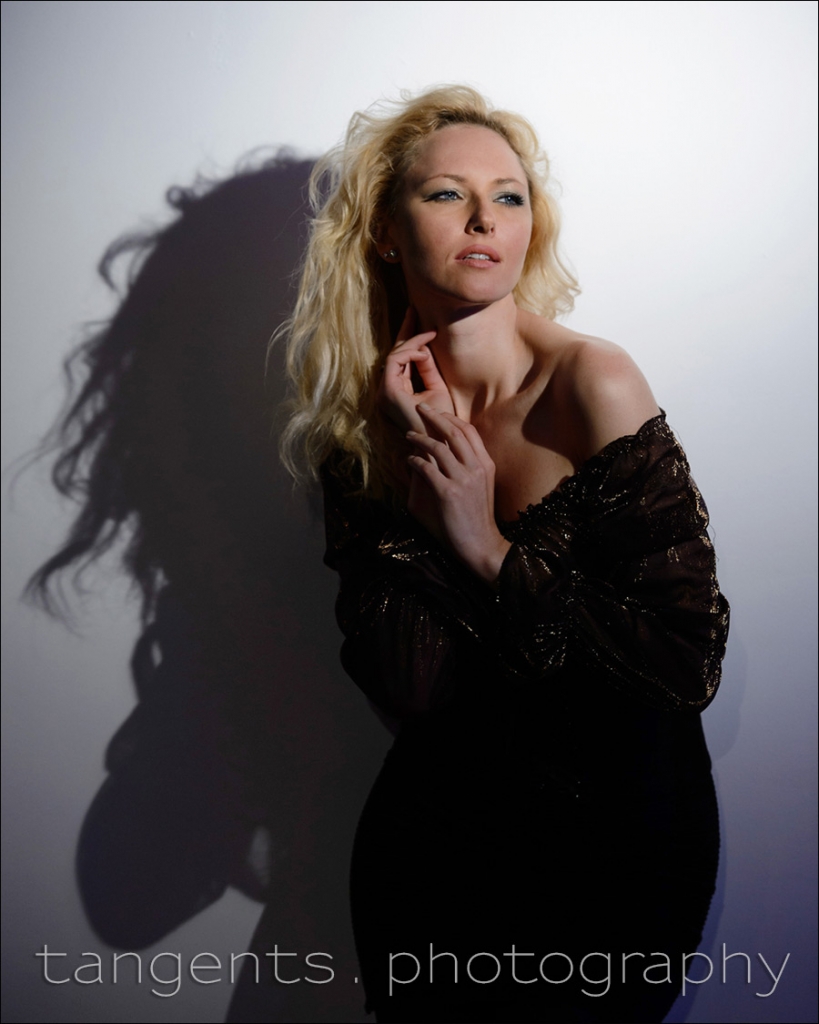
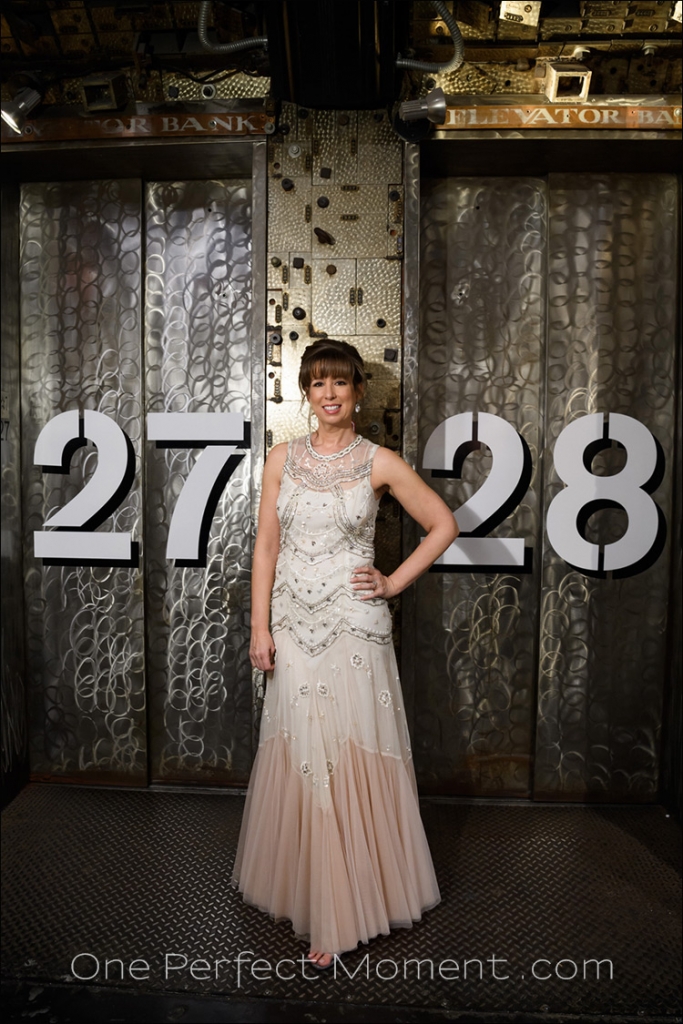
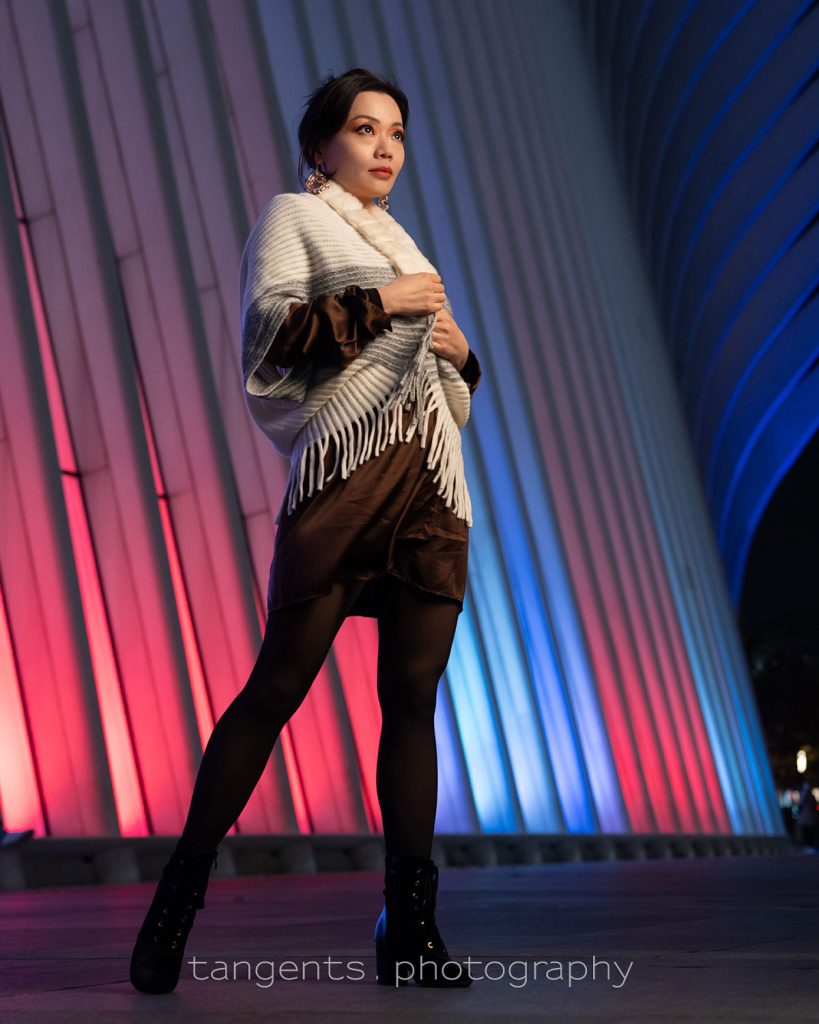
using two video lights .. (model – Nikiya)

November 26, 2009

Video lights as a way of lighting still photography portraits is something that I’ve mentioned more often on this blog of late.  When the subject and setting is such that a more dramatic way of lighting would work, then I quite often use video lights.

Here is a photo using a single video light:

This image is from the recent workshop in Philadelphia, and someone held a single video light to the right and above me. The angle that the light should be held at, is guided by how I want the shadow under her nose to appear. I prefer the shadow to appear as loop lighting or as butterfly lighting, instead of having the shadow of her nose fall across her cheek or mouth.

It looks dramatic and beautiful. In this case, with Nikiya standing so close to the background – an elevator door – we can get away with a single light. Similarly, if we had positioned her so that she is against an out-of-focus background with some colour and detail, then a single light would also work. Then the background would be light enough to create separation so that the model pops out.

With this image of Nikiya, I positioned myself so that the hot-spot on the metallic doors created a natural halo around her.

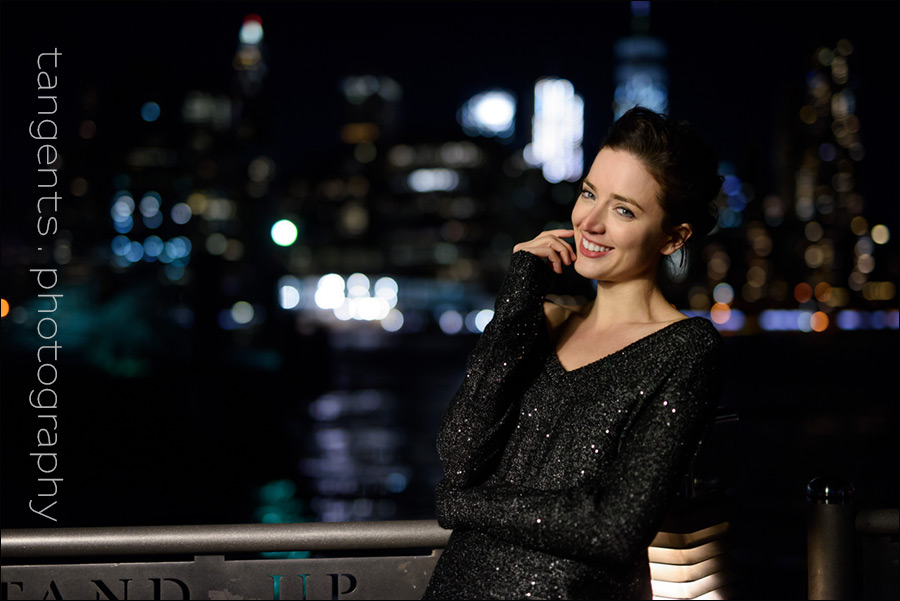
But when there is a background that would appear dark or even black, with no separation, then we need to make another plan. In this case, another video light to throw some light pattern on the background …

Here the second video light was held to camera left, and flagged with barndoors so that the light didn’t fall on our model.

Camera settings:
1/160 @ f3.2 @ 1250 ISO for the top image, and
1/125 @ f3.2 @ 1250 ISO for the second image.
White balance was Incandescent / Tungsten, adjusted a little bit as part of RAW workflow.

With these settings, similar results could be achieved at f1.8 or f2 and a lower ISO if you are using a camera that doesn’t have great high-ISO capabilities.

Details and spec of the actual video lights that were used.

The beauty of the video light again is that with the quick fall-off in light to the edges, it creates a pattern and not just a flood of even light. Then there is always the ability to use the barn-doors to flag the light even further to create a swathe of light or just a streak of light in the background. That light on the pillars there give enough separation between the model and the background, and still creates a natural vignette around her .. adding to the dramatic look of the image.

       Comments (16)


workshop view: Dallas, TX

November 20, 2009

The final workshop of the year!  And what a wild interesting ride it’s been the past two years with the workshops.  Wonderful people that I’ve met; interesting cities and places .. and some adventures.  (Those who attended last year’s workshop in Dallas, will remember the belligerent cowboy!) 

The workshop in Dallas was a great way to end up this series of workshops – two fantastic models in an interesting venue, and a great group of people.  As always, it felt really good seeing how things click into place for the photographers who attended.  Thank you to everyone! 

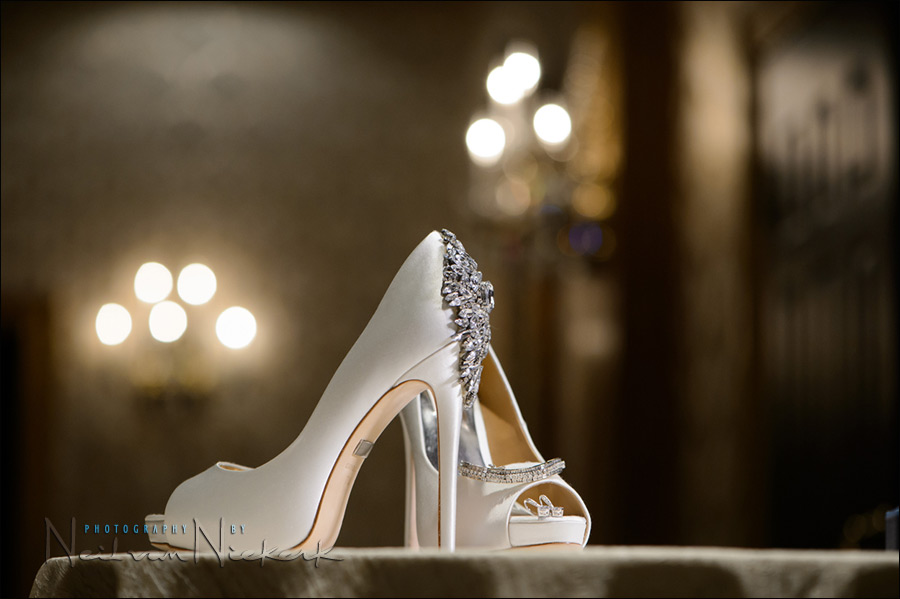
The image above was from the session where we played around with video lights.  In this case, finally getting the two models together in a dramatic pose;  then lighting them with a video light from either side.  The sconce lighting on the walls then helped make the image more compelling that a bland background would have.  A few tweaks in Photoshop, essentially bumping up the contrast and saturation, also helps give the image more impact.

       Comments (10)


workshop view: Boston, MA

September 19, 2009

The recent workshop in Boston area was held at the studios of LensProToGo in Concord, MA.  (LensProToGo is the company I turn to whenever I need to rent equipmentfor a shoot.)   Paul, the owner of the company, kindly allowed us access to the studio for the entire day.

As mentioned with previous report-backs, I’ve expanded the material covered, and gear used, with the workshops this year.  Now in addition to working with flash, we also play around with video lights as our source of light.  During the practical session here, we took our models outside while using video lights.  By exploiting the widely different colour balance of the tungsten light compared to the existing shaded day light , we were able to create an interesting dynamic with the colours.  Using video light on our model, and with our cameras set to Tungsten WB, the background becomes an interesting shade of blue – in this case mixed with the green colours of the foliage outside. 

And as always, the lighting pattern from a video light is quite dramatic ..

Thank you to everyone who attended the workshop (and our models), who made it a hugely enjoyable day!

       Comments (12)


bounce flash vs video light

September 2, 2009

With the recent posts on using video light with stills photography, the question comes up why one would want to use video light over flash.  Two of the main advantages are that you see exactly what you’re going to get; and also that video light gives a certain dramatic quality.  With video light the fall-off to the edges of the spot is fairly abrupt.  But it is exactly this quality that lends itself so easily to giving you that dramatic lighting.

In the following image (taken during the recent workshop in Portland), I use bounce flash to light the model .. and the entire scene.  That’s the advantage / problem with bounce flash – it tends to open up the entire scene.  In the next image however, I used video light for more dramatic effect.


[ click on the image to see a larger uncropped version ]

Camera settings for the image at the top, using bounce flash:
1/160th @ f4 @ 800 ISO

Camera settings for second image (with video light):
1/80th @ f3.5 @ 1000 ISO

With the image where I used flash, I purposely chose a fairly high shutter speed to reduce the effect of the ambient light .. thereby allowing the flash to dominate and open up the image much more.  Of course, there aren’t just these two options in lighting the scene.  There are 101 ways of getting good results.   And even in setting up the first image, I could’ve used a completely different combination of settings.   I could’ve let much more of the available light register by choosing a slower shutter speed and wider aperture .. and reducing the TTL flash exposure by dialling down the flash exposure compensation.

And that’s the beauty of playing with lighting .. so many more options open up.  Your choice.

Back to those two images at the top - here are the available-light-only images for comparison .. 

(more…)

       Comments (30)


using video light .. (model – Amy)

July 29, 2009

A portrait of Amy, one of our models at the recent workshop in Brighton, UK.  Here we used a single video light on her. 

I love the dramatic quality the light imparts, and how you can flag the light with the barn-doors to create a specific fall-off to the light in the background.  The strong vignetting helps in giving it that dramatic look.

In figuring out the direction of light, and how to place the video lighting, I am largely guided by way the shadow of the subject’s nose is falling across her face.  I then direct the model and the person who holds the light, to move slightly if needed.  I usually don’t want the nose to cast a shadow across the cheek that blends into the other shadow areas.  

As you can see from the shadow of her nose, the video light was to the camera left.  In looking at this photo now in editing it, I think it might have been improved if the video light had moved slightly more to the camera’s point of view, so that the shadow of her nose is even less obvious.  Then the way the left side of her face is shaded would’ve been less steep as well. 

It’s in this analysis afterwards of a photograph that we learn how to improve the lighting and composition and posing for the next time!

       Comments (19)


video light for wedding formals

June 26, 2009

At a recent wedding the time we had for the formal photographs were compressed, and we had to come up with a variety of romantic portraits and formal photos.  This time I decided I want to do them only using video lights.  The wysiwygnature of lighting a subject with video lights was a bonus in this case, allowing me to work fast.

I had my assistant crouch down behind them, rim lighting them with the video lights.  The actual light falling on the couple is the ambient light in the room.  The image above was shot at 1/80th @ f2.8 @1600 iso, using the Nikon D3 and Nikon 24-70mm f2.8 lens.  The other images here which are directly lit by video lights, are at different settings with lower ISOs and higher shutter speeds.  But since this image was rim lit by the video lights, and the video lights didn’t contribute much to the actual exposure values, I had to go higher on the ISO, and a little lower on the shutter speed than I normally prefer.

I purposely let the video light flare here, by changing my position until I could see the edge of the video light.

The image above had some post-processing done to it, by running one of the Totally Rad Actions on it, giving a slightly retro feel which I think suited it.   Here is what the image looked like with only the WB touched up a bit …

(more…)

       Comments (7)


using video light .. (model, Sasha L)

June 24, 2009

In reply to some questions on using video light for portraits, here are some images of Sasha, a model who brought an entirely appropriate sense of the dramatic to the photo session.  With vintage clothing and hats, the video lights appeared a good choice for lighting.

For this session, I had an assistant who held up two Lowel ID-lights, each with barn-doors to flag the light and stop light spill .. and in this way get a lot of control over the direction and placing of the light.   The one light was used to light up our model, and the other light was to light up the background.  We were standing out on the dark street in Brooklyn, and we needed the second light to create some interesting background.  In this case the background was a brightly painted brick wall.

In explaining here how I use the video light, I also thought it pertinent to show some of my less successful images as examples of the progression in getting to images that have impact ..

(more…)

       Comments (10)


workshop view: Albany, NY

May 23, 2009

The recent flash photography workshops have expanded a bit in scope to include video light.  Since part of the program is how to deal with balancing flash with video light, and overcome the widely different colour balance .. it was a short step to just include the use of video light.  Whether using available light or flash or video light or any kind of lighting, at the heart of it is the idea of looking at the light you have .. and the direction and quality of the light. 

The effervescent Katie was one of our models, and here you can see how the background light turns a deep shade of blue when the colour balance is adjusted for Tungsten light.   (The light in the background is daylight filtering through skylights over the courtyard.)

Thank you again to everyone who made this workshop a success!

       Comments (3)


using video light .. (model – Priscilla)

April 21, 2009

[ Nikon D3;  Nikon 24-70mm f2.8 AF-S .. 1/160th @ f3.5 @ 1250 ISO ]

More and more I find myself turning to using video lights when I use additional lighting for portraits in a more static environment. 

In this case I also liked how the difference in the colour temperature between the tungsten video lights and the available light added even more drama to the lighting.  In this case the available light was fluorescent lights, as described in this previous posting. Since video lights are fairly hard light sources, I had to make sure that the way the model turned and looked, was in relation to the light.  In other words, the way that my friend Steve Z was holding up the two video lights, had to make visual sense in relation to how Priscilla was posed.  I wanted the light to fall onto her face from an angle that opened her features, but not be flat lighting as it would be with the light coming from the camera’s direction.

There is a fair amount of play in working like this, and every image will vary slightly from the others since the video lights aren’t static on light stands … but are instead being held up by someone else.  This means the lights do vary slightly in position as the other person tires a little, or follows the model …  or simply changes position because they either listened to my direction, or intuitively changed the positioning of the light as I might need it.  I described some of this way of working in a previous posting on using video lights.

This is exactly where the video lights become an interesting and creative lighting tool – since it is WYSIWYG in use, you can easily make small adjustments on the go.  The video lights also come with barn-doors which help a lot in containing exactly where the light falls.

For the image above, Steve Z held up two video lights – one in each hand.  He lit up Priscilla’s face with the video light in his left hand, and with the video light in his right hand, gave some rim light on her hair and lit up part of the background.

       Comments (5)


video light & boudoir (model – Precious)

April 6, 2009

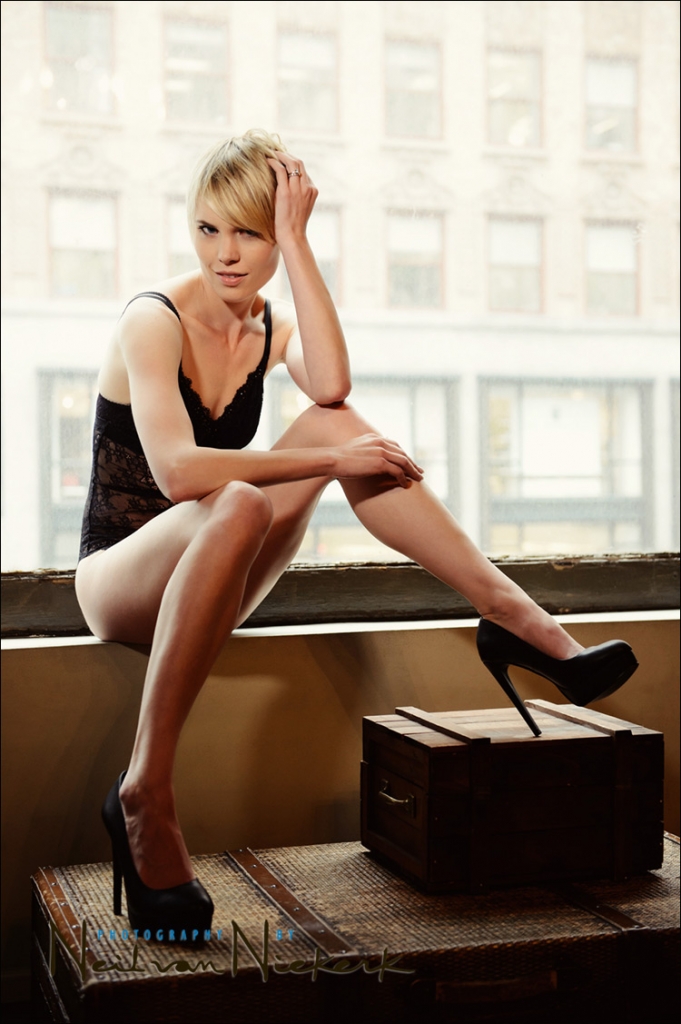
An image from a boudoir photo session today.  I ended up mostly using a video light (or two) for the directional and dramatic quality of the light.  I tried on-camera bounce flash a few times, but even when I carefully flagged and bounced the flash, there were a number of times where I found that the bounce flash just evened out the light too much.  Sometimes it is soft light, and sometimes it just becomes flat light.

With the video light (held up by my assistant), I was able to ask my assistant to flag the light and drop the light off dramatically to the model’s legs.  That’s the beauty of using video light - it is completely WYSIWYG.   You can make immediate changes to the position of the light – or how you position yourself – based on the light and light patterns on your subject.   And with an assistant holding up the light, instead of fixed on a stand, you even have voice-activated automation in how the light is placed.

More on the video light equipment I use, and more examples of how I go about using video light in photography.

       Comments (8)


Older Posts »


All Rights Reserved © 2006-09 | Client Login