With this image from the workshop in Seattle, we were working outside the hotel and the city scene there wasn’t all that hip and urban. It was visually quite cluttered. So when I wanted to use this image, my first thoughts were to simplify it a little since there is a LOT going on in the background that doesn’t add to the image and just detracts from our model Julia. The leading lines of the cars, overhead train lines and the pavement all do help to give a more dynamic composition .. along with Julia’s crazy body angles. But the image definitely needed some work.
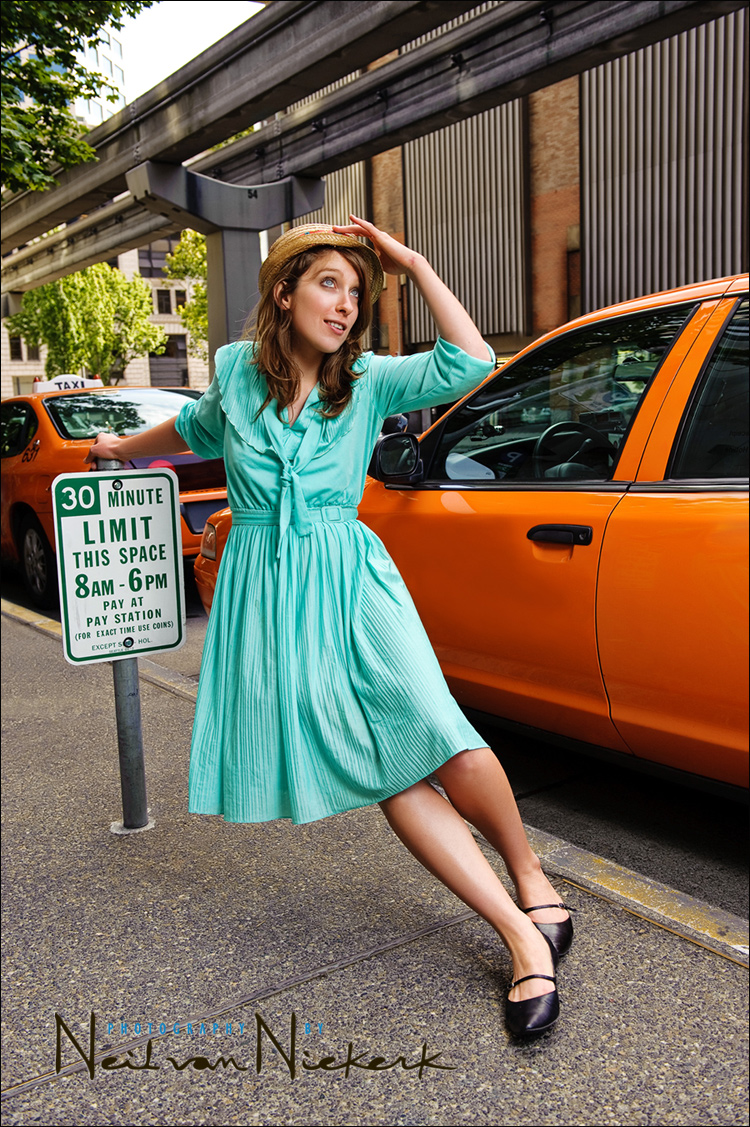
Here is the image without any editing done to it, aside from my default raw settings applied ..
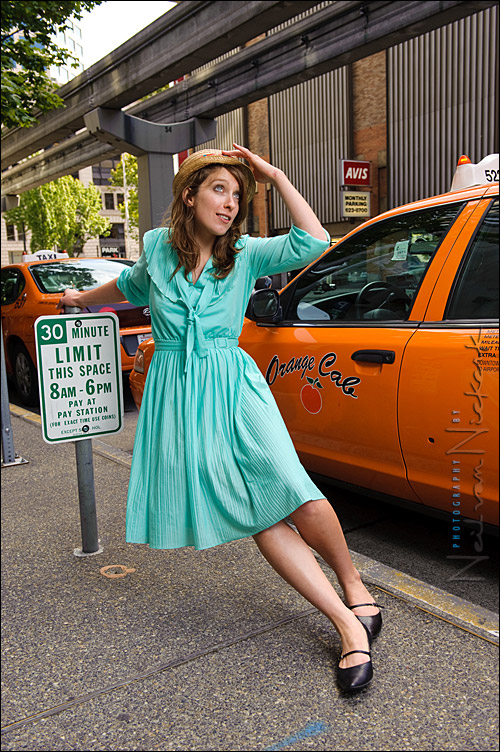
You can see that my first thoughts were about how to reduce the visual distractions, and hopefully make it a stronger image. The setting isn’t ideal, but we can improve it considerably in post-processing.
I removed the marks on the sidewalk .. the writing on the cab and even the sticker in the cab window. With that the light on top of the cab also had to go. The sign post on the left in the image also had to disappear. The numberplate of taxi in the background also had to be cloned out. The neon sign of the car rental also had to go … and there you can see a little bit of sloppiness in the cloning … but I don’t think it would be really visible in the edited image unless you had the original to compare. So I could let that fly. The red marking on the wall behind Julia’s head had to be toned down. And then I also reduced some minor clutter in the image that would only really be seen when enlarged.
That was the start. And then I punched the image up a bit by increasing the contrast and saturation, and adding some softening to our model, but also increasing the local contrast. You know .. that sprinkling of Photoshop fairy dust to make the image that little bit better.
Lighting was with a softbox and a speedlight which was held at a 45 degree angle from me to my right.
Camera settings were: 1/200th @ f5.6 @ 200 ISO
The speedlight was set to manual, to give me f5.6 @ 200 ISO .. which then balanced fairly well with the available light. The flash was metered with a Sekonic flashmeter, to give me the correct flash exposure for those settings, and the specific distance the light was going to be held at in relation to our model. (The other variable being the flash’s power setting.)
The lighting made a huge difference in the final image. Here’s a comparison image with only the available light at the settings that were chosen to be used with flash:
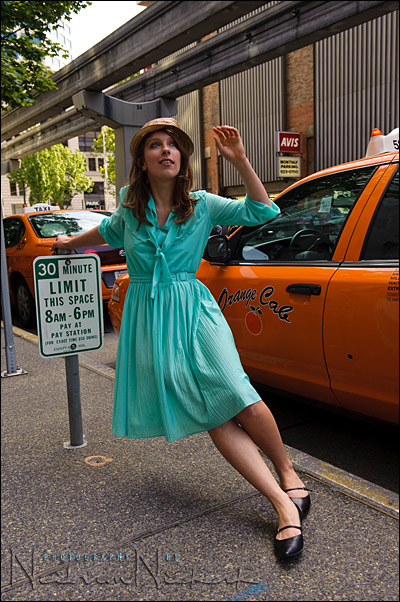
.
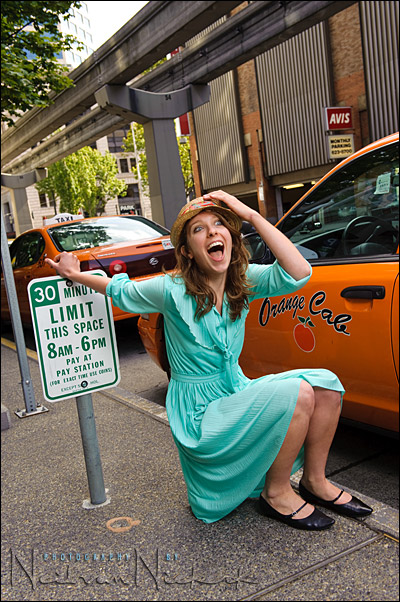
And a few more of the delightful craziness that is Julia ..

Neil
It looks like your having to much fun!!
Why did you use manual setting on your flash here as aposed to ttl. any reson
john
I am guessing Neil chose manual due to the static nature of the situation. The model isn’t moving from that location and her distance to the flash isn’t going to vary by much so manual would yield the most consistent exposures. As Neil varies the image compositionally tones in the image are changed and that effects TTL metering which may yield varying subject exposures. Correct, Neil?
I am wondering about your un-flashed images. I seem to always feel the need to add light when I am outdoors to make better images in terms of subject (face) exposure. How much did you underexpose the scene by? I am wondering if you had proper exposure for her face if her dress along her left leg would have overexposed. I am anal about not overexposing highlights but trying to retain them often leads to an underexposed subject. Am I delusional in always thinking I need to be dragging lights around with me?
I tell you though, Neil, since I have been following your writing I have not used my studio lights outdoors near as much as I am adopting the use of speedlights and Nikon’s CLS – even for my nude work these little things are proving to be quite effective and oh so easy to take out and about. Now if I could just tame the wind a bit so I could use modifiers more often…
Neil used manual flash as fill-flash to lift shadow details. TTL is not needed since flash isn’t the main light source.
This question may be off topic, but how do you do your watermark.. ie the “Neil van Nickerk” with raised transparency?
I’ve been eyeing that for quite a while now..
hi Neil:
You mention, Quote: ‘You know .. that sprinkling of Photoshop fairy dust to make the image that little bit better.”
can you enlighten me as how and where I can learn how to do this fairy dust effect on photoshop??.
As always, you have been an inspiration to me, and I am sure to many others. Thanks for sharing your wealth of photographic knowledges to all of us.
Roy
Hello!
Nice shot, as usual.
Few questions:
Did you used gels on flash?
Was it cloudy or fair ?
Boris
Hi Neil,
Thanks for presenting the before and after photos. I didn’t realize that there were so many distracting objects in the scene, besides my initial estimate of the cab details. It definitely makes a significant visual difference by removing the distracting elements.
–Stephen
Neil,
Do you find the images come out much darker on the computer than when you saw them on your camera LCD? I find that an image that looks good on the LCD is often 1-2 stops underexposed on the computer (I use a D3). I have read elsewhere that that is indeed the case. So when you are underexposing for the ambient do your use the LCD or the meter as your guide? I just shot a bride last night and the ambient looked OK on my LCD but when I got back to my machine, as usual, the ambient is way darker than I thought based on my LCD. I do remember looking at my meter and I believe I was 2 stops down, but the LCD sure doesn’t reflect that level of underexposure. Do you have similar experiences? I am starting to think I need to go by the meter as opposed to the LCD preview.