As the studio concierge, please:
- Arrive around 20+ minutes ahead of the scheduled start time.
- Set the heat or the A/C to a comfortable level (around 71F), and set the end time for the temperature controller. The end time for the temperature controller is usually the end of the rental period.
- Do a quick walk-through to check the studio is neat. Especially check that restroom is neat. Also, if need be, wipe down the table surfaces, and the make-up table surface as well.
- When the guests arrive be sure to show them around quickly – specifically the restroom, and the dressing room, and the make-up table. Invite them to set down their stuff in the lounge area and / or the dressing room. Show them that there is coffee, water and snacks if they want.
- Check what they need in terms of lighting, and help set up the lights and the backdrops.
- When wrapping up for the day, make sure all studio flashes and devices are switched off. When locking the door, please close the curtains as well.
Solving possible problems:
- If the studio flashes don’t fire, check that the transmitter and flashes are set to channel 5. Check that the transmitter is set to Transmit (and not Receive). Check that the flashes are properly plugged in because the power cables sometimes subtly wiggle out.
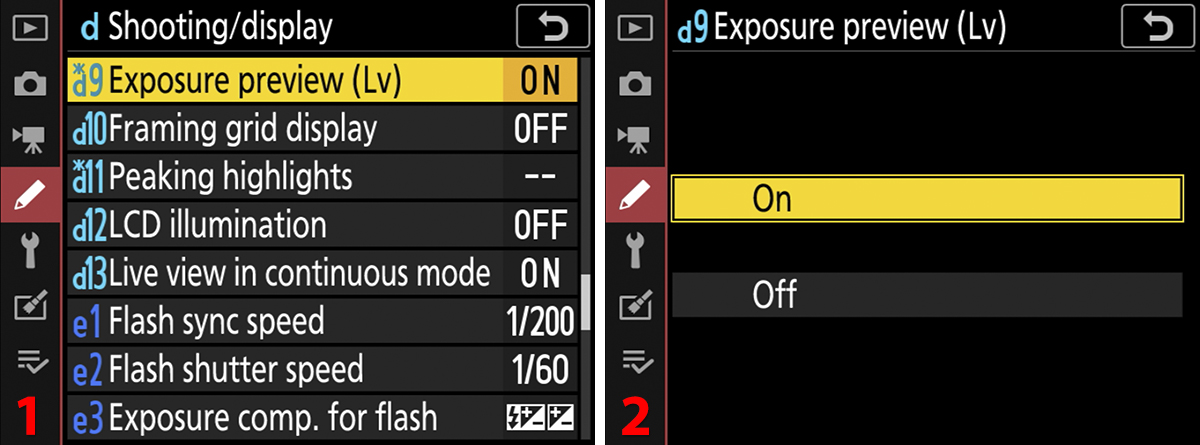
- Mirrorless cameras need to be set to mechanical shutter (instead of electronic shutter), and it is imperative that exposure preview is disabled. Have them save these settings to the My Menu option on their cameras. The menu options might be slightly different between different models of the same camera brand.
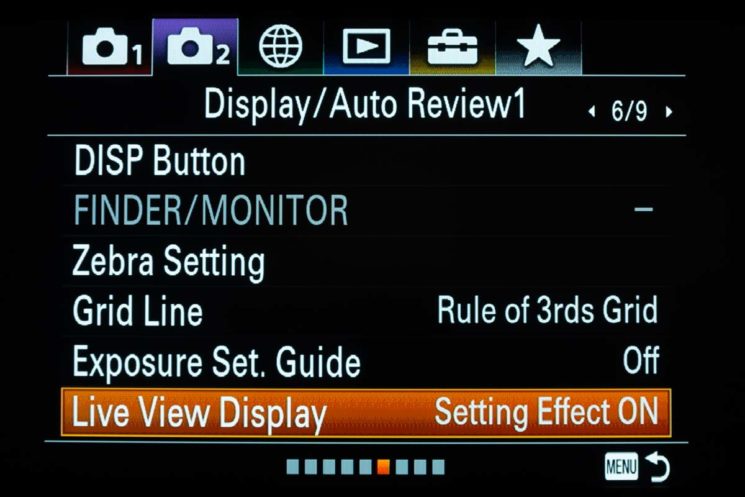
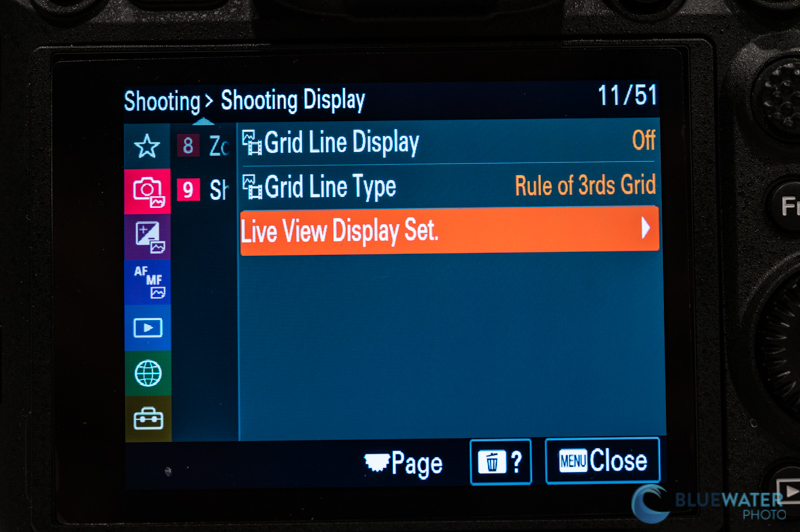
Sony : Live View Display = OFF
Menu > Shooting > Shooting Display > Live View Display Set (or sometimes just Live View Display in other models), letting you choose “Setting Effect ON” (see real-time exposure/color effects) or “Setting Effect OFF”
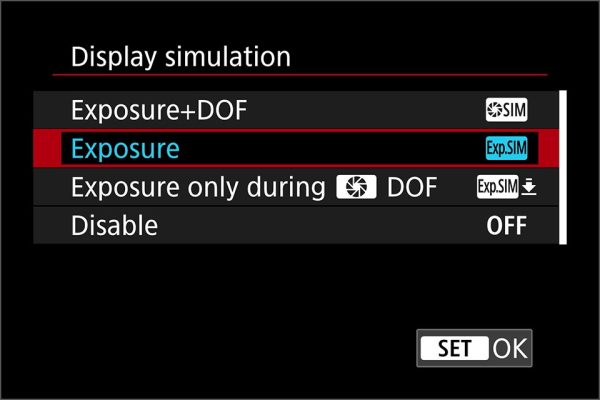
Canon : Display / Exposure Simulation = DISABLE / OFF
Nikon : Exposure Preview = OFF
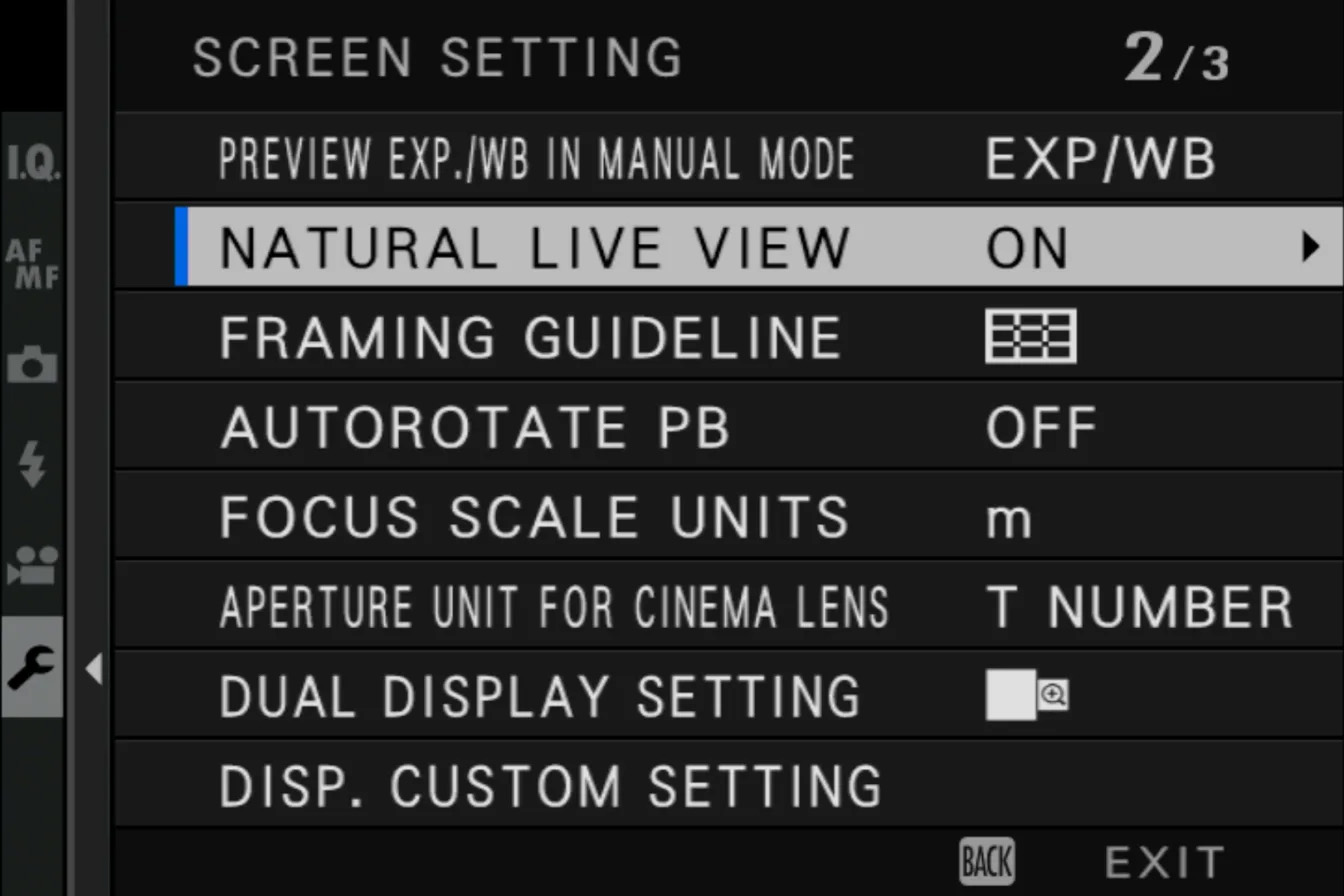
Fuji : Natural Live View = OFF
To turn off exposure preview on a Fuji camera, go to the Menu > Screen Setup (wrench icon) and find “PREVIEW EXP./WB IN MANUAL MODE,” setting it to OFF; this is useful for flash photography to maintain screen brightness, while the default “ON” shows real-time exposure changes. You can also set a custom function button for quick toggling between preview modes.