To help guide you through the design process of your album, here are the next steps.
How does this entire process work?
- You’ll send me the list of images you’d like to include in the album.
You do this by selecting the images as your Favorites, and sending the list to me within Zenfolio.
In the top left-hand corner of the screen, there will be a link to your Favorites.
Click on this, and select “Send to Photographer”. (Check out this video tutorial.) - Once I receive your list of Favorites, I will do a tentative design.
I will place this design in your Zenfolio gallery. - You can then leave a comment on the Zenfolio gallery with any of the spreads which you’d like changed,
or mention any images you’d like to swap out. - The changes you’d like to make could include certain images that need to be moved around; or changed in size; or moved to other pages.
- I will implement the changes that I can make, and leave comments as necessary.
- After a few iterations like this, you’ll (hopefully) love the design, and give me the go-ahead to complete it.
- I will still need to retouch the images in this final design.
- The design is then uploaded to the album company that will print and bind it.
- I will then let you know when the album is being shipped out from the album company.
- You can choose to have the album drop-shipped to you, or you can pick it up from me.
How long does all this take?
The designing of albums for my clients have to be done as part of an overall workflow. Hence there is a slower more deliberate pace to this. Peak season for photographing events is around July to November, and these can be crunch periods for photographers and album companies. However, I do want to get your album to you in a timely manner.
Depending on my schedule, it will be around 2 – 4 weeks for the initial design.
Each round of changes will take around 1 – 2 weeks.
After the final design is approved, there is another 3 – 4 week period where I will need to edit the images and do final retouching before sending it in to the album company.
The album company can take 4 – 8 weeks, depending on the time of year.
With that, we’re looking at anywhere from 3 to 6 months for the album to be delivered,
from the time when you sent the initial list of images.
Which are the specific deadlines?
To have your album delivered before Thanksgiving,
the final design of your album needs to be approved by 1 October.
To have your album delivered before the Christmas holiday season,
the final design needs to be approved by 1 November.
How should I send my list of favorite images?
Mark the images you’d really like to have in the album, as your Favorites in the Zenfolio gallery.
There is a link there to send the list of Favorites to me.
How many images should I select for my album?
I don’t have a fixed limit to the number of photos that go into the album. There are some pages which are suited to more images, such as the details photos. The portraits for example, are best displayed as one or two large images on the page.
A good recipe is 3-4 images per spread.
A spread is the double page spread as the album is opened, ie, a spread is two pages or sides.
A square album (eg, 11×11) with 20 spreads / 40 sides, displays approximately 80 images.
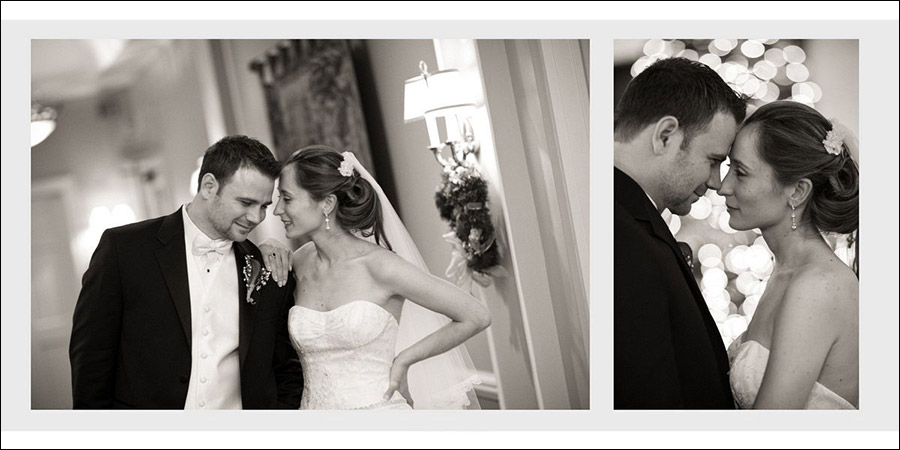
An example of an album spread with two images.
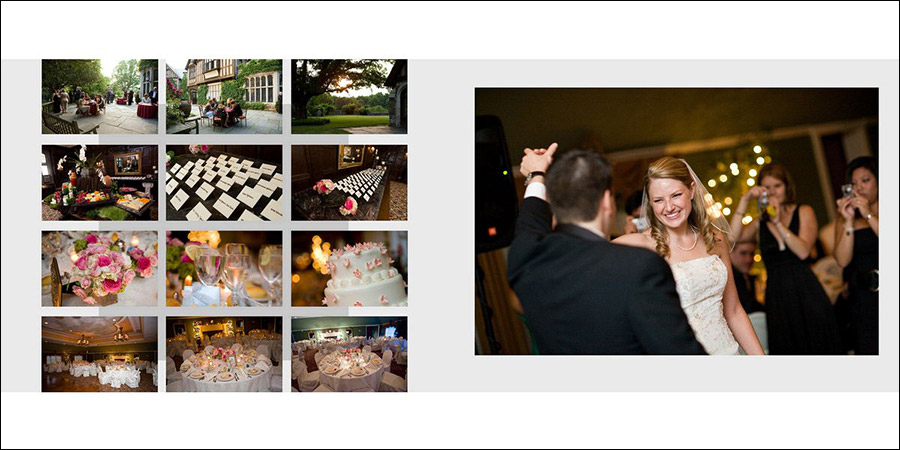
An example of a details page, where we can easily show 12 images, without it appearing cluttered.
What if I have more images than the album could ideally take?
We can easily add spreads to your album to accommodate more of your photographs.
Signature series albums:
11×11 album: $75 per additional spread / 2 sides
(NJ sales tax not included in these prices, and will have to be levied.)
What if I am stuck with selecting enough images?
You could send in your selection of “must have” images, and I’ll build up the album around that. Then it might be easier to decide which pages to change, and which images to drop and which images to add.
What about parent albums?
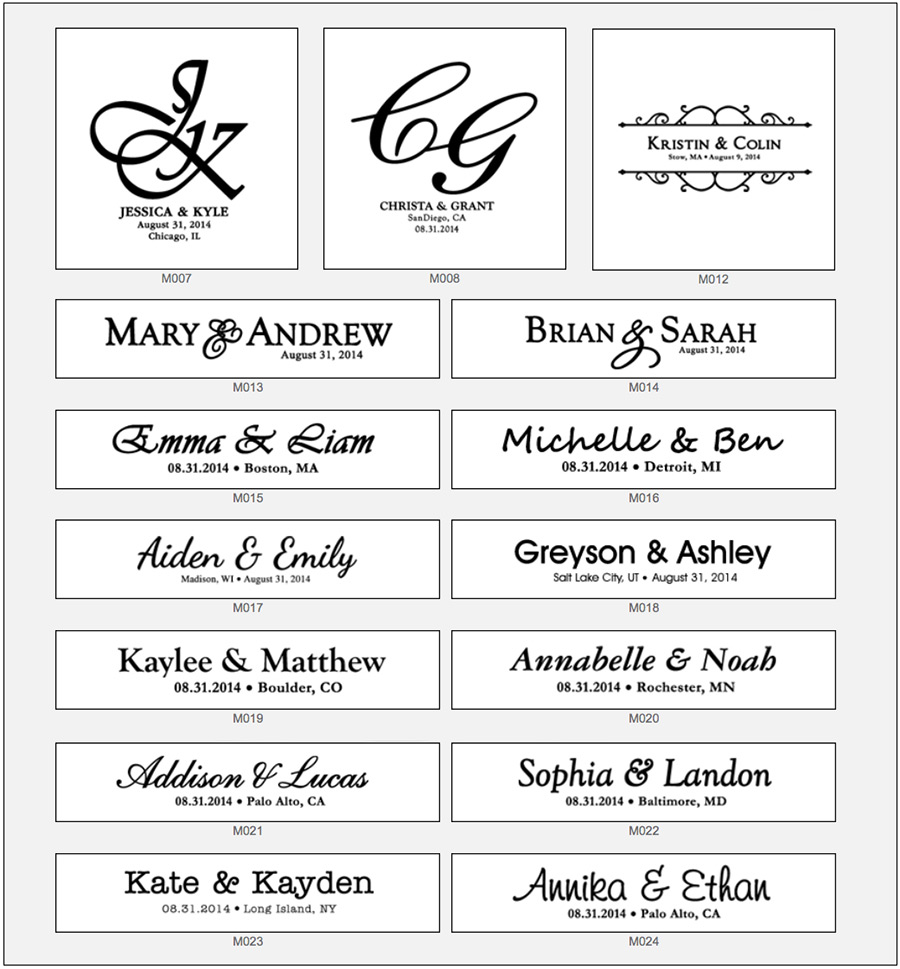
The parent albums are the Bijou series of albums. The Bijou series don’t have the image on the cover, but instead have a monogram. There is the option to have the parent album be an exact duplicate of the main album -then the parent album has the same number of spreads / pages, as the main album. (And hence, the same number of photos.)
If you’d prefer to have the parent album be a new design or have other images than the main album,
then the 8×8 parent album has 16 spreads / 32 sides, and can take approximately 60 images.
cover options for the Signature series
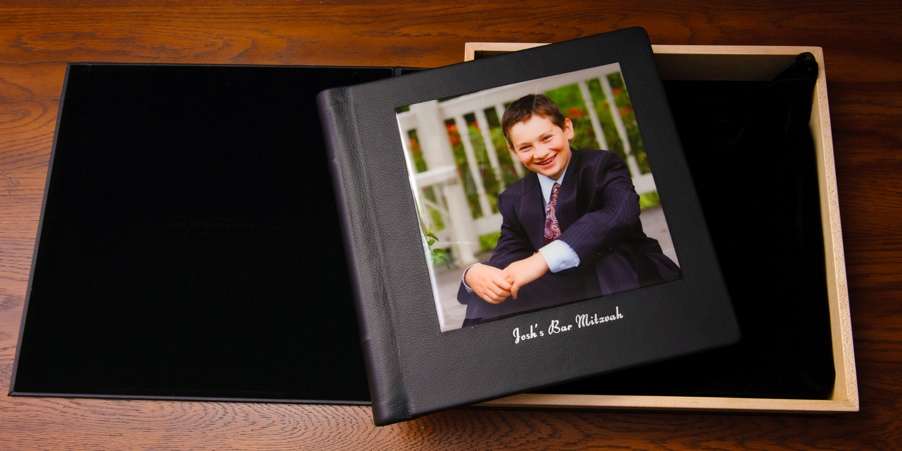
The Signature series albums can take an image on the cover as a cameo.
You will have to select an image for the cover, and email me the image number.
Then, there are different leather options, and font type & font color options for the Signature album:
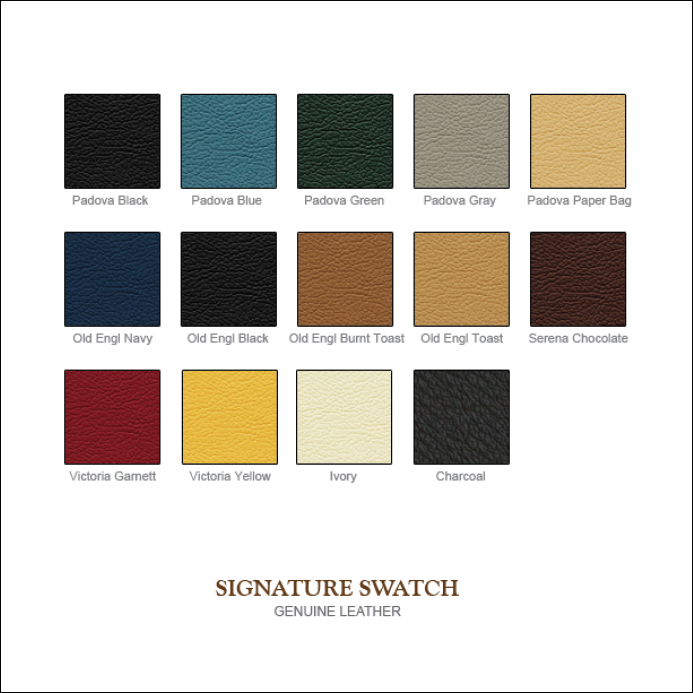
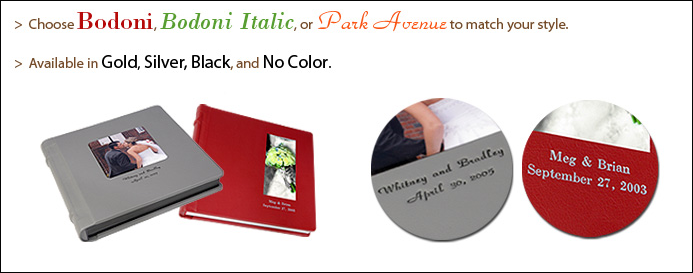
cover options for the Bijou series (including parent albums)
There are several faux leather options for the Bijou style albums:
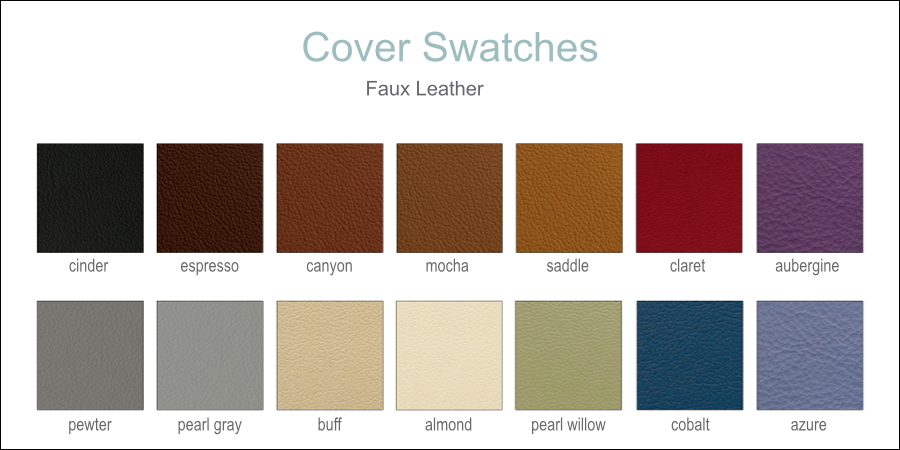
The Bijou series has the name and date embossed into the leather, with a choice in the style of monogram: