post-processing an image – that summery feeling
A hot rod show & hot girls dressed in 50’s retro outfits .. it all just has to look good! Well, not necessarily. Sometimes the way you feel something should look, just isn’t quite there in the actual setting. At a hot rod show today in Brooklyn, though there were the usual awesome cars (and girls), but the show was held under an expressway. Just not quite the right setting to easily get images with sparkle. But parked around the area were some vintage cars, so along with Jill (one of the models), I used some of these cars for a few images.
But even here the images I got just didn’t quite looked like I envisaged. I wanted a lazy, but sexy and summery feel to the photos. Less about the car itself, than the mood. So the photographs needed some sweetening in Photoshop …
For me, the background is of huge importance when I take an image. Clutter and distracting elements need to be removed. Usually this is easy enough by shifting your position, or changing your perspective or focal length, or by hiding stuff behind your subject. With some of the photographs of models on this site, you’d be surprised how many of them were snapped just as someone walked behind the model … an effective way of hiding random passersby.
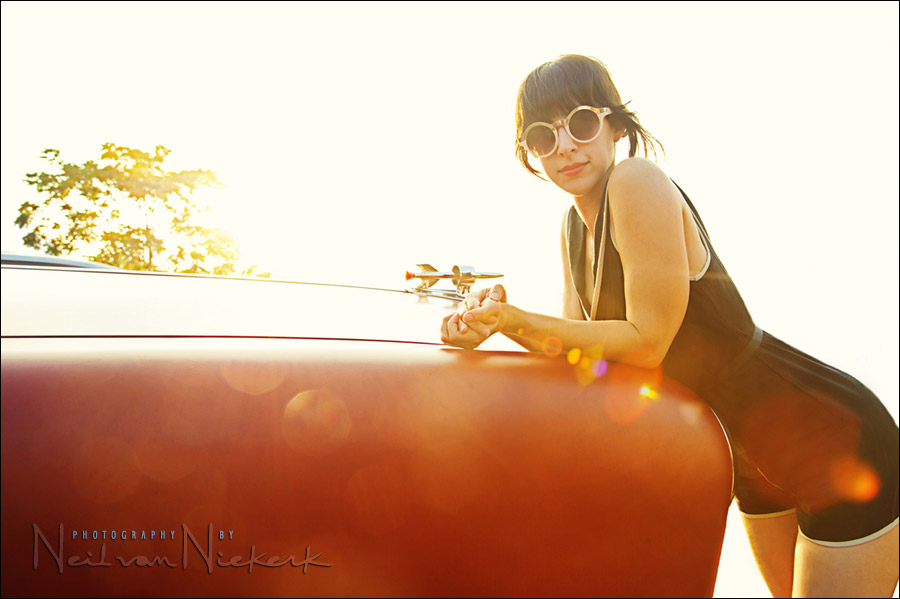
I couldn’t get low enough here to completely eliminate the street scene behind Jill …

In Photoshop I cloned out the distracting stuff in the background, to give it a white seamless backdrop effect. And no, I don’t find the flare distracting. In this instance, the lens flare is an integral part of the image and the sun-drenched look I was after.
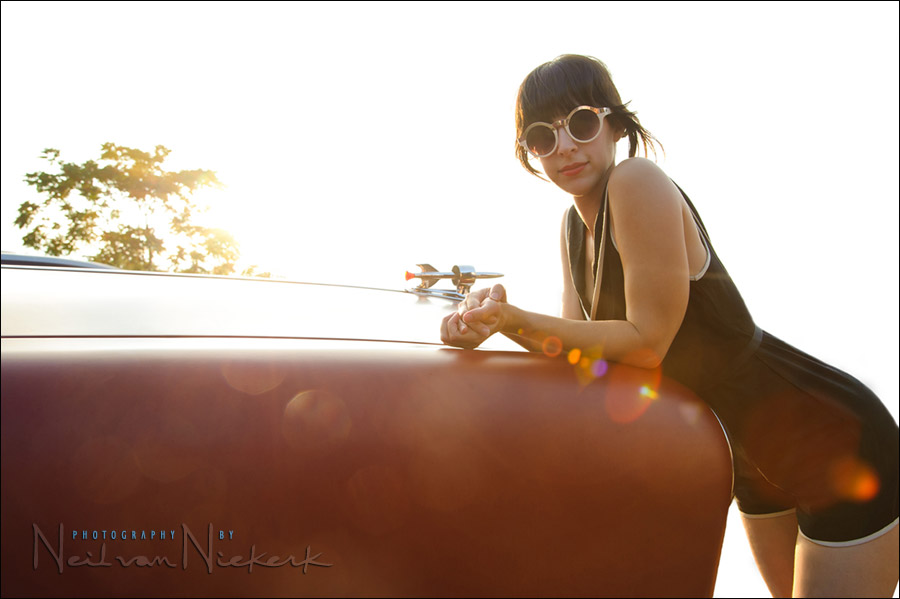
So this is a good start. But it needed more. My photography in general is fairly “straight”. I don’t use much Photoshop effects. However, Photoshop actions are an easy way to chase a certain look. We don’t need to re-invent the wheel every time and prove our Photoshop skillz – especially not when we’re just after a quick edit. Then Photoshop action sets are a handy thing to have.
Then, using a Photoshop action to make it warmer and give it all a Summer-y look:
image details:
1/200 @ f8 @ 400 ISO … no additional lighting or flash
Nikon D3; Nikon 24-120mm f/4 VR (B&H) … used at 35mm
Related articles
Neil,
This is why I enjoy your photography. You use strong composition and uncluttered backgrounds as the foundation of your photographs. You don’t add too much Photoshop filters, if at all. Once again, you show that good photography is accessible to everyone.
Its really nice to see the before and after effects, i always look forward to reading your posts. I see you are using the 24-120 f4. Will you be doing a thorougher review on this lens?
Dear Neil, can you help me?
I was shooting a weeding the other day with my new D700 (only 10.000 shots) and during the shoot I saw the err message popping in the viewfinder and the monitor showed a black image. I was using one SB-900 but there was enough light in the scene to be registered so that it was not a flash misfired. I turned off and on the camera and it worked fined until the end of the night. I also tried the camera 2 more times, around 400 clicks, and it’s working fine. Did you see that in any of yours Nikon’s bodys? Do you have any idea what this could be? Could it be something serious?
Thanks you for your help.
One of my favourite photos recently i must say. Such a subtle but affective use of photoshop. I like the flares to, they really add to the feel of the low sun, not to mention they’re an absolute bitch to remove :). Love it!
I see more and more than the new trend for this coming decade is the overly photoshopped stuff. Especially HDR. I’ve seen several photographers doing almost exclusively HDR photos for clients albums. I’ve done a few for albums. They look impressive. But an entire album? There may be some regret over that in the golden years. Never the less, I do what my clients ask of me if they see it and they like it.
Love it Neil! I hardly use actions either. They have their usefulness at times, but too many photographers have built their entire portfolios around them in my opinion. :)
I do agree with that, especially since the “style” isn’t a personal style, but just a Photoshop technique. And someone else’s at that.
But you have the option to run the effect on layers, then change the opacity and the order of the layers … and thereby build up a look that is quite unique, and not just related to one specific predictable action.