personal work – Manhattan cityscapes
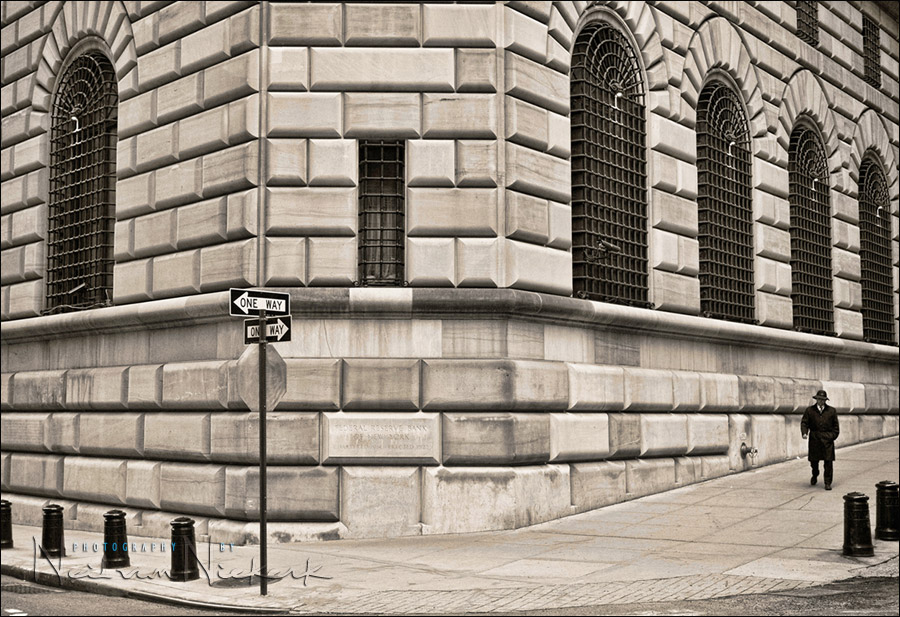
It’s been a long cold winter without much chance to roam around and explore with a camera. The past weekend it seemed like the weather was finally relenting and becoming warmer. Taking to the streets to shoot for myself a bit with no purpose in mind, I ended up with three images that I liked – all deserted New York city scenes. Or in the case of the image above, nearly deserted.
It felt good to let my thoughts roam for a while, getting some exercise and listening to music … looking for anything that visually appealed to me in the camera’s viewfinder.
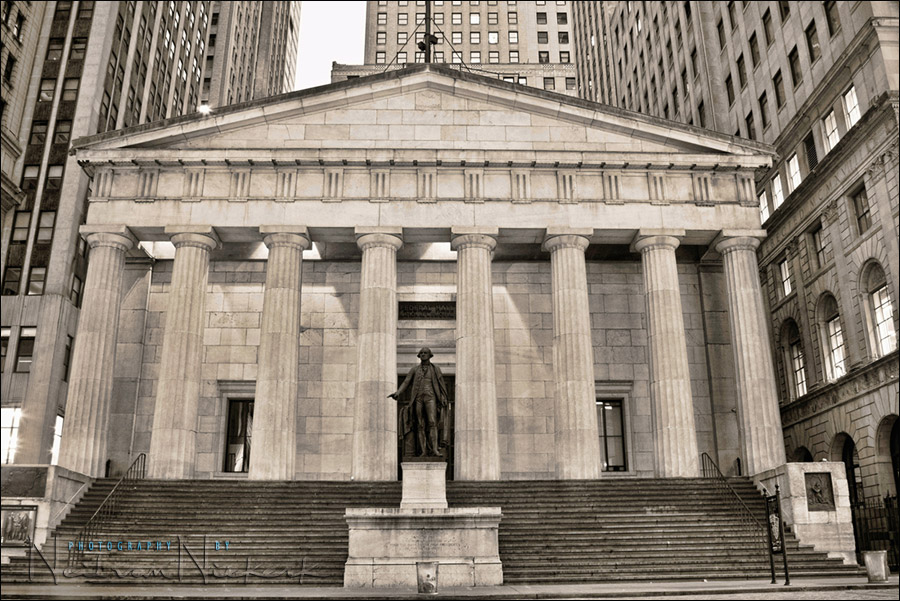
With this image above, the street had tourists floating around. I shot about 10 frames over the course of 10 minutes, with the camera steadied on my iPad and iPhone on the steps of a building opposite. My camera settings were: 8 seconds at f14 @ 200 ISO. I purposely went for such a slow shutter speed, since I wanted passersby to melt away.
In taking several shots as people milled around, I was able to layer a few photos in Photoshop, erasing the static tourists via a layer mask. This way I could reveal a duplicated part of the scene where there was nobody in any chosen area. The final result … a deserted scene.
Canon 1D Mark IV (B&H); Canon 24-105mm f4L (B&H)
Processing for all three images:
1. my usual B&W processing in ACR / Bridge, but with the local contrast cranked up.
2. Topaz Adjust 4 – Spicify – at 50% opacity on a duplicate layer.
3. Topaz Adjust 4 – Vibrance – at 50% opacity on another duplicate layer.
great shots. the thing that strikes me is the surprising amount of space presented without any advertisements. that actually might be a fun challenge in Manhattan, to see how large of a scene can be captured void of commercial content.
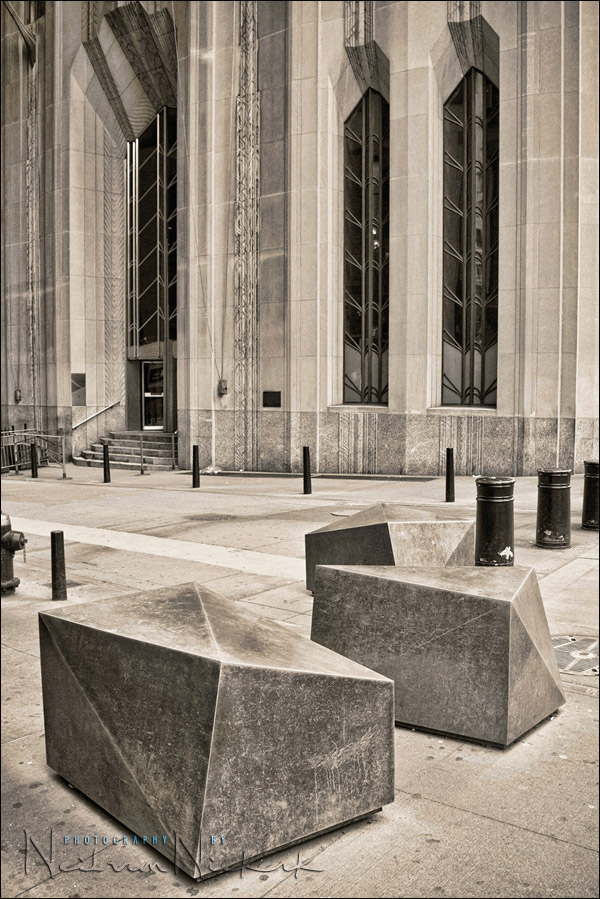
I like the second picture best. So many strange shapes in here. The image feels so “full”. Toning works perfectly for me.
Your photos of the Wall Street area inspire me to go and photograph the cobbeled stone streets of Old Montreal. However I am not sure how to eliminate the throngs of tourists always about filling the frame, especially on Sundays.
Nice ones, Niel, as always.
Just to speed up postprocessing, there’s a feature in PS Extended when you can remove walking people in a second. Just when you shoot, take more images of the same spot with people moving around, in Bridge select all of them and go to menu Photoshop / load into layers. The PS opens with all pics in layers, select all layers, convert to Smart Object. In the menu go to Layers/Smart Object/Stack Mode/Maximum. And all the moving people are gone. (Courtesy of Dave Cross – Photoshop User TV episode 249)
K
I love the first photo, probably because there’s someone in it! The man’s attire, especially as he’s so small in the frame, gives no clue to the age of this photo. The B&W processing makes one wonder if this is the 1930’s or 2011. The two one-way signs are a great touch, too.
Alright, ‘fess up: what prompted you to use a 1DMkIV for this project, rather than your usual Nikons?
Funny you should ask about the Canon 1D mk IV.
With the webinar coming up later today, I thought of ways to shoot tethered.
– I was looking at Wireless Transmitters. I had one way back for my Nikon D2H and it was a pain to set up. When it worked, it shined. But if one setting went out, then it was dead. It felt like I had to be a network engineer to get this up and running.
– I looked at tethering options. Now, anyone who has seen me present, will have seen me nearly step on my cameras, and half-trip over cables. So shooting tethered during a presentation was risky for me.
– then someone mentioned this neat device … the Eye-Fi wireless SD cards. You can wirelessly transmit to your computer from the SD card in the camera (via the SD card holder / reader that plugs into a USB port.) Very elegant!
Currently there are 4 versions of them. The basic 4Gb SD card (which is the one I bought), all the way to an 8Gb version that allows for transfer of RAW files, and an ad-hoc connection with the computer. Pretty astonishing technology, if you ask me!
4GB Connect X2 SDHC (B&H)
Eye-Fi 8GB Pro X2 SDHC (B&H)
Anyway, this looked like a really elegant solution. Much better than loading a CF card and clicking through to the images.
But I needed a camera that could take an SD card. The Nikon D3 bodies that I use, only have CF card slots.
I rented a Canon 1D mk IV because this bad boy uses SD cards. Sounded like a plan.
So as a treat, I took the Canon 1D mk IV out for a walk. And here we are.
Nice pictures. :)
I haven’t been down to the Wall Street area in about a year. Usually, the weekends have far fewer people in that area. It used to be like a ghost town there on weekends.
It looks like tourism has picked up.
Maybe this could solve Non SD slot problem?
https://www.amazon.com/SDHC-High-Speed-Extreme-Adapter-support/dp/B0048W4RV4/ref=pd_bxgy_misc_img_b
This adapter is sold together with Eye-Fi SD cards.
How can I get such nice colors?
Neil,
Did you do any clarity boost on the second image? (if you’d rather not say, I respect that too :)
Thanks,
Jonathan Seawright
Re the 2nd image – yes, I did boost the Clarity / Local Contrast. But I didn’t dodge or burn or do local corrections … there was just this incredible light coming through the clouds, and shining through between the buildings.
Neil vN
Neil,
Eye-Fi doesn’t directly support SD-CF converters.
Granted, the SD-CF adapter that Tad mentioned is inexpensive, so if it doesn’t work, it’s not a huge loss of money.
I agree with the above poster about the first image being very 1930s esque… You fooled me for a second until I realized, “hey wait… this is with a digital camera!” :p
The first is simply stunning
They are all very beautiful! The first one; nice repetition of the rectangles
and well balanced. I’m not sure about the walking man, in particular way i like
his position, but i think i would have wait a little until he was on a strong line.
I also like the fact to see the street signs, typically New York.
Second one: Beautiful foreground, Strong vertical lines, nice shapes in the windows.
Also very well balanced (what they all are in fact).
Third one: Again a beautiful shot, nice symmetry, i directly recognized a small triangle
on the top of the roof. Not the wide one, but that small one in the middle.
About the processing, they are all very clean, that’s the way i like it. No place for clutter.
It’s a special tone, something you don’t see very often.
This was nice to look at, we saw a small part of New York from out the eyes of a master.
It don’t have to be always working with models. I really appreciated this topic! Thank You Neil!
I hope my English is understandable, i’m hoping to speak it very fluently in the nearly future.